
How Gamma AI Got Me a Perfect Score in My Algorithms Seminar
What if you could turn weeks of presentation work into just a few hours?
That is exactly what happened when I used Gamma AI during my B.Sc. Computer Science degree. I had to prepare a seminar presentation about a difficult topic in algorithms, one of the hardest subjects in my degree. The assignment required me to read an academic paper, understand complicated ideas, and build a presentation that looked professional enough to impress both my professor and my classmates.
Instead of spending countless hours designing slides manually, I decided to try Gamma AI.
The result surprised me.
Gamma AI helped me create a presentation that looked polished, modern, and much more professional than anything I had made before. More importantly, it let me focus on understanding the material instead of wasting time moving text boxes and choosing colors.
At the end of the seminar, I received a perfect score.
Whether you are in high school, university, or just trying to make better presentations, Gamma AI might completely change the way you work.
Why Students Are Talking About Gamma AI
Preparing presentations is one of the most frustrating parts of being a student. You can spend hours researching a topic, only to spend even more hours trying to:
- Make the slides look good
- Pick colors and fonts
- Organize everything in the right order
- Find images
- Make sure the presentation does not look boring
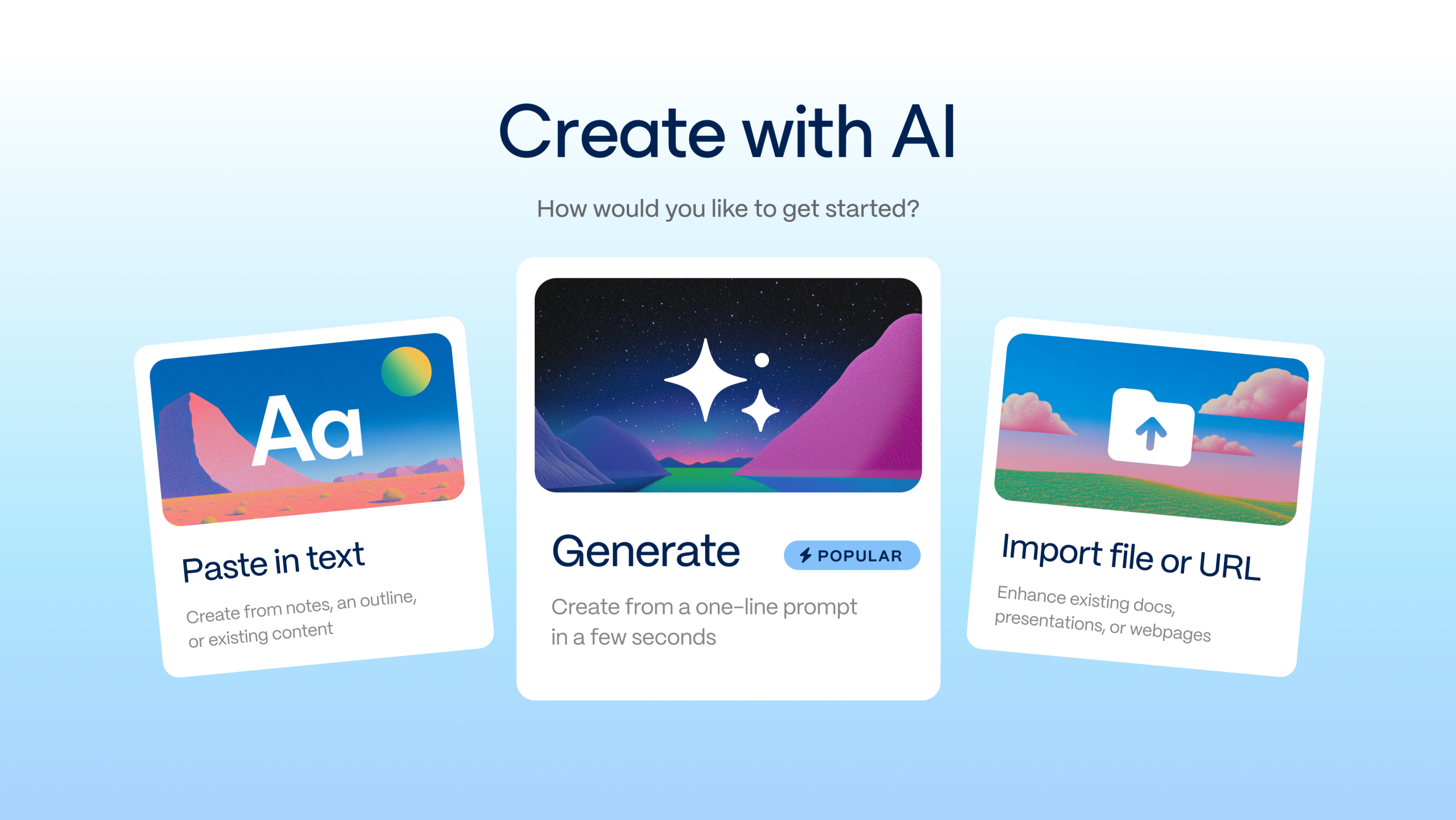
For many students, creating the presentation takes almost as much time as learning the topic itself. That is why so many students are now using Gamma AI. Gamma AI is an AI-powered presentation tool that creates an entire presentation for you from a simple prompt. You type what your presentation is about, and within seconds it creates:
- Slide titles
- Layouts
- Key points
- Images and design
- A clean, modern look
Instead of starting with a blank slide, you start with something that is already 80% done.
Gamma AI is an AI-powered content creation platform designed primarily for:
- Presentations
- Interactive documents
- Reports
- Web-style content pages
Unlike traditional presentation software such as Microsoft PowerPoint or Google Slides, Gamma AI focuses on prompt-based creation. The user provides instructions in natural language, and the system automatically generates:
- A slide deck structure
- Titles and subtitles
- Bullet points and summaries
- Visual design and theme
- Suggested images and icons
- Layout organization
For example, a user can enter a prompt such as:
“Create a presentation about the A* search algorithm, including its history, admissibility, consistency, theorem proofs, advantages, disadvantages, and modern applications.”
Gamma AI then produces a complete first version of the presentation within seconds.
This approach is significantly different from traditional tools, where the student would need to manually:
- Decide on slide order
- Create each slide individually
- Search for templates
- Format text and images
- Ensure consistency across the presentation
Gamma AI automates most of these tasks.
What Is Gamma AI and Why Is Everyone Using It?
How I Used Gamma AI in My Algorithms Seminar
During my B.Sc. in Computer Science, I had to complete an algorithms seminar. The topic was difficult. I had to explain a famous academic paper about the A* algorithm, which is used to help computers find the best path or solution. Even after I understood the topic, I still had a problem:
How could I turn all of that information into a presentation that looked impressive and was easy to understand?
I knew that if my slides looked messy or confusing, people would not understand the topic, no matter how much work I had put into it. So I decided to try Gamma AI. I gave Gamma AI a simple prompt describing what I wanted:
- A short explanation of the topic
- Slides that start simple and become more advanced
- A comparison between different ideas
- A clean and modern design
- Minimal text and more visual explanation
Within minutes, Gamma AI created a full presentation draft. It already included:
- A title slide
- A clear flow from beginning to end
- Visual sections
- Comparison slides
- Helpful diagrams
- A professional design
For the first time, I did not feel stuck staring at a blank slide. Instead, I could spend my time improving the presentation and making sure the information was correct. I still edited the slides myself and added some personal touches, but Gamma AI saved me many hours of work. When I finally presented the seminar, the result was better than I expected. My professor loved the presentation, and I received a perfect score.
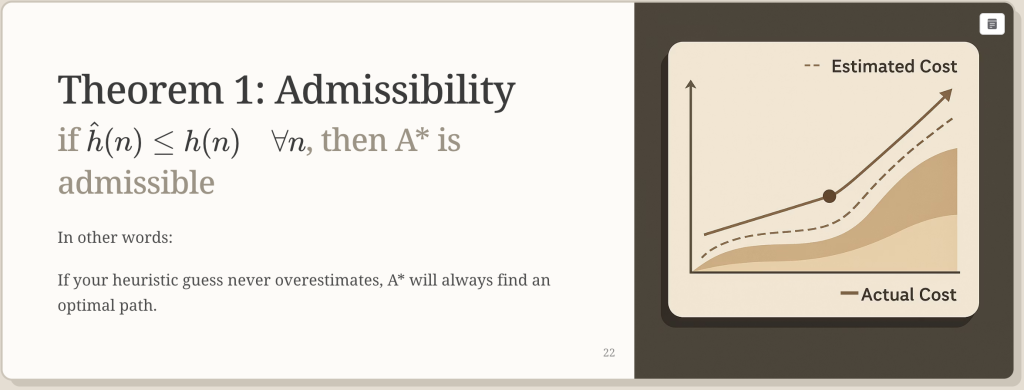
The strongest impact of Gamma AI was not that it replaced my understanding of the material. Instead, it allowed me to focus almost entirely on the content and the explanation, rather than wasting time on formatting and design.
Final Thoughts: Should Students Use Gamma AI?
After using Gamma AI myself, I understand why so many students are talking about it. It saves time, makes presentations look far more professional, and removes one of the most annoying parts of school and university work. Most importantly, it lets you spend more time thinking about your topic and less time fighting with PowerPoint. For me, Gamma AI turned one of the hardest assignments in my degree into one of my best presentations. It did not magically give me a perfect score. I still had to understand the material, practice, and improve the slides.
But Gamma AI gave me a huge advantage.
If you are a student and you have a presentation coming up, I honestly think Gamma AI is worth trying.
You might end up with your best presentation too.
Thanks