
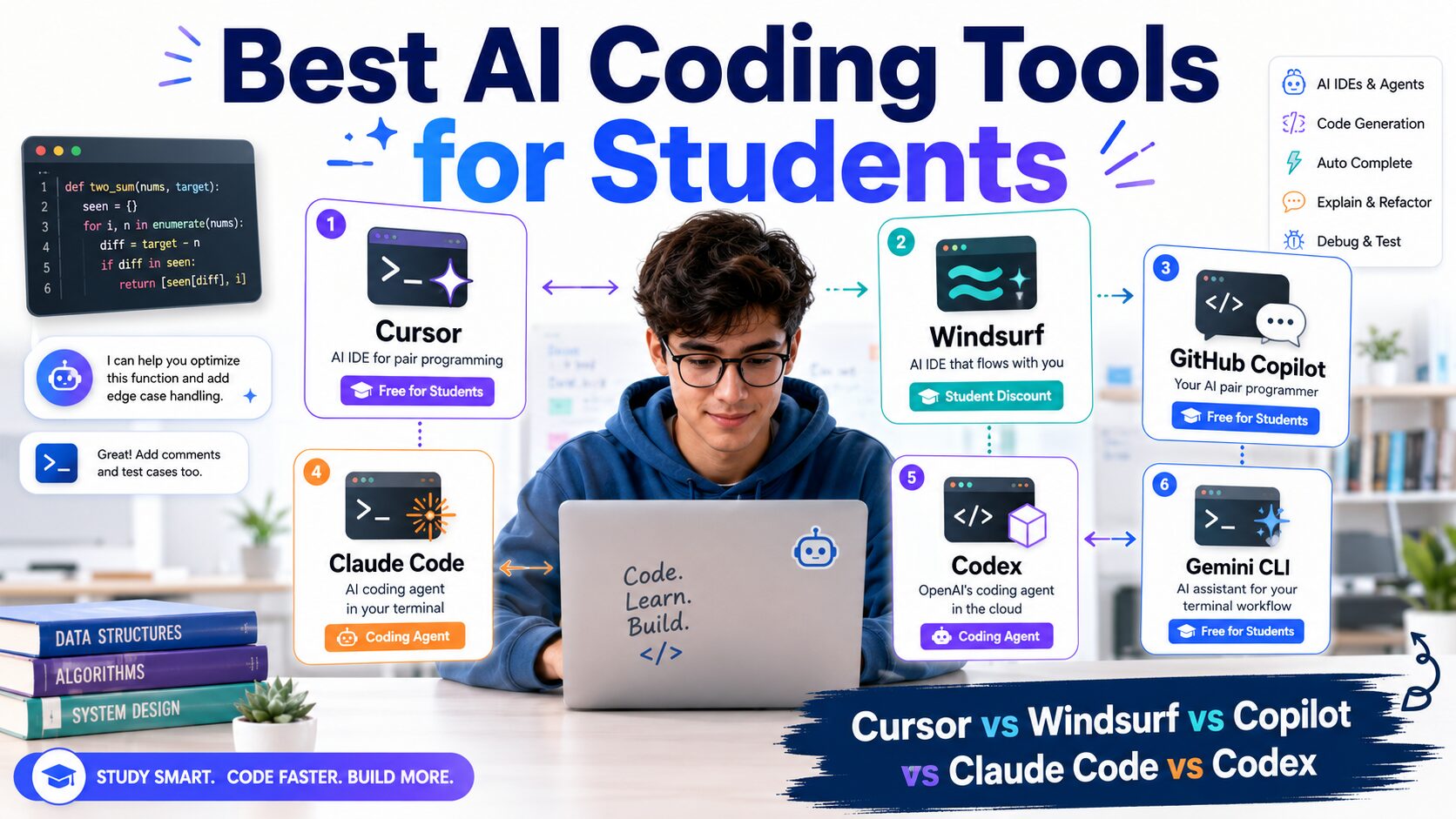
Best AI Coding Tools for Students in 2026: Cursor vs Windsurf vs Copilot vs Claude Code vs Codex
Quick answer: What is the best AI coding tool for students in 2026?
GitHub Copilot Student is my best-value pick because GitHub currently lists it as free for verified students. Cursor is my pick for students who want an AI-first editor, Windsurf is the strongest student-discount angle, Claude Code is excellent for terminal-first repository work, and Codex is the most interesting option for delegated, multi-step engineering tasks.
My recommendation: do not choose based on hype. Choose based on your workflow, your student eligibility, and whether you actually need an AI IDE or a coding agent.
AI coding tools changed very quickly over the last year. Students now have AI-first editors, terminal agents, GitHub-integrated assistants, and coding agents that can inspect a repository, edit multiple files, run commands, and work through a task from start to finish.
That creates a new problem: which AI coding tool should a student actually use?
I compared the current official plans and product documentation for Cursor, Windsurf, GitHub Copilot, Claude Code, Codex, and Gemini CLI. I also looked at the student angle because a Computer Science student should not automatically pay full price for a coding tool when free or discounted access may exist.
This guide focuses on real student workflows: programming assignments, university projects, backend APIs, group projects, unfamiliar codebases, debugging, and building a portfolio.
Best AI Coding Tools for Students: Quick Comparison
| Tool | Best for | Student angle | My verdict |
|---|---|---|---|
| GitHub Copilot | IDE + GitHub workflow | Copilot Student is free for verified students | Best free student option |
| Kiro | Agentic coding + spec-driven development | Eligible students get 1,000 credits/month free for 12 months | Strong current student offer |
| Cursor | AI-first editor | Free access available; current student page points to campus and online promotions | Best AI IDE for most students |
| Windsurf | Agentic AI editor | Legacy terms describe a student discount; the former application page now redirects to Devin Desktop | Check current Devin Desktop access |
| Claude Code | Terminal and repo work | No dedicated student plan confirmed in the official docs I checked | Best terminal-first agent |
| Codex | Delegated engineering tasks | $100 in Codex credits for eligible US and Canadian university students | Best for agentic workflows |
| Gemini CLI | Open-source terminal agent | General individual quotas rather than a student-specific offer | Best budget CLI alternative |
Important: student offers and usage limits can change. I checked the official product pages and terms in July 2026, but you should verify the current price or eligibility before paying.
Which AI Coding Tools Are Free or Discounted for Students?
Another paid education option is the Amp student discount: students and teachers can get 50% off Megawatt. Compare its remote coding workflow and total model-usage costs with the free and discounted options below.
This is where the comparison gets interesting.
GitHub currently lists Copilot Student as free for verified students. The plan includes unlimited code completions, an allowance of GitHub AI Credits, and limited chat and agent usage through automatic model selection.
That makes GitHub Copilot the easiest recommendation for a verified student who wants AI coding assistance without immediately adding another monthly subscription. Students who prefer a full professional IDE should also claim the JetBrains Student Pack, which gives eligible students free access to IntelliJ IDEA Ultimate, PyCharm, WebStorm, GoLand, PhpStorm and other JetBrains tools, with JetBrains AI options available inside the IDE.
Windsurf’s legacy student terms describe a discounted subscription, but its former application page now redirects to Devin Desktop without a student claim flow. Those terms alone do not verify an available discount for new applicants.
Cursor’s current official student page is different. It says anyone can get started for free and tells students to watch for promotions at on-campus and online events. The current public page does not advertise the old blanket one-year-free student offer.
Codex now has a university credit offer for eligible students in the US and Canada. It adds usage credits rather than a student subscription. For Claude Code and Gemini CLI, compare their current access options and plan limits separately.
1. GitHub Copilot Student: Best Free AI Coding Tool for Students
For most verified students, I would check GitHub Copilot first.
GitHub’s current official plan documentation lists Copilot Student as free. It includes unlimited code completions, GitHub AI Credits, and limited chat and agent usage with models available through automatic selection.
That is a very strong student offer because Copilot fits directly into the GitHub and IDE workflow many Computer Science students already use.
Why I would recommend Copilot to students first
- You may already qualify through GitHub Education.
- It works naturally with the coding workflow students already use.
- Code completions are useful for repetitive syntax and boilerplate.
- Chat and agent features can help explore code, debug issues, and understand a project.
- You do not need to switch your entire editor just to try AI-assisted coding.
I would especially recommend Copilot to first- and second-year Computer Science students who want AI assistance but do not yet know whether they need a full AI-first IDE.
You can also read my GitHub Student Developer Pack benefits guide for 2026 to see the wider GitHub student benefits.
The downside of GitHub Copilot
Copilot is not automatically the best tool for deep, multi-step repository work. If I want an agent to inspect a codebase, change several files, run commands, test the result, and keep working through a difficult task, I usually think in terms of Claude Code or Codex rather than simple code completion.
Still, for a free verified-student plan, Copilot is difficult to ignore.
2. Cursor: Best AI-First Editor for Students
Cursor is the tool I would look at when a student wants the AI to feel like part of the editor rather than an add-on.
Cursor’s current product focuses heavily on agents, codebase context, tab completion, CLI workflows, cloud agents, and AI-assisted editing. Its student page is full of examples from university students using Cursor for research programming, startup projects, data work, and building software.
Is Cursor free for students in 2026?
Cursor’s current official student page says anyone can get started for free. For upgraded student access, the page tells students to look for promotions at on-campus and online events and sign up for the campus newsletter for discounts and guides.
So I would not publish the old claim that every student automatically gets one year of Cursor Pro free. Cursor previously became known for a student offer, but the current public student page no longer presents that as a general offer.
Who should choose Cursor?
- Students building full-stack projects or startups.
- Students who want an AI-first editor instead of a traditional IDE with an extension.
- Students who work across many files and want codebase-aware assistance.
- Students who like asking the AI to plan, edit, and iterate inside the same editor.
My opinion: Cursor is probably the easiest AI coding product to recommend to a student who says, “I want an AI IDE and I do not want to live in the terminal.”
3. Windsurf / Devin Desktop: Check Current Access
Windsurf’s product and student-access information needs to be read in the context of its transition to Devin Desktop. For current free-plan details, pricing, and student-offer status, see our Windsurf student discount guide for 2026.
The official Windsurf student terms say qualifying students at accredited higher-education institutions can subscribe to Windsurf Pro at the advertised discounted monthly price. Students must provide information for eligibility verification, and the discount period can run for up to 12 consecutive months.
The terms also allow up to three additional discount periods after re-verification, subject to the program’s rules and availability.
One current wrinkle is that Windsurf’s public pricing URL now redirects to Devin pricing and states that Windsurf is now Devin Desktop. Because the product and pricing presentation is changing, I would check the current student signup flow before assuming an older advertised percentage or price is still active.
Cursor vs Windsurf for students
For students, the main difference is not just the AI model.
Cursor currently has the stronger AI-editor brand and a very visible university community page. Windsurf’s legacy terms are not proof of a currently claimable education offer. Compare the live Devin Desktop plan and account eligibility.
I would compare the live student price, the current editor experience, and the included usage before choosing between them. Our full Windsurf vs Cursor comparison for students breaks down the differences in pricing, workflow, features, and the best choice for different types of coding students.
4. Claude Code: Best Terminal AI Coding Agent for Students
Claude Code is a different category from Cursor and Copilot.
Anthropic describes Claude Code as an agentic coding tool that reads your codebase, edits files, runs commands, and integrates with development tools. It is available in the terminal, IDEs, desktop app, and browser.
The terminal experience is the main reason I would recommend Claude Code to advanced Computer Science students and developers.
Where Claude Code is strongest
- Understanding an unfamiliar repository.
- Editing multiple files as part of one task.
- Running commands and checking results.
- Debugging a larger project.
- Refactoring code across a codebase.
- Working from the terminal with a more agentic workflow.
Anthropic’s current docs say most Claude Code surfaces require a Claude subscription or Anthropic Console account, with some terminal and VS Code options also supporting third-party providers.
I did not find a dedicated Claude Code student discount in the official docs or pricing pages I checked.
Is Claude Code worth it for Computer Science students?
For a beginner learning loops, arrays, and basic object-oriented programming, I think Claude Code can be overkill.
For a final project, backend service, research codebase, or serious portfolio project, it becomes much more interesting.
5. Codex: Best for Delegating Multi-Step Engineering Tasks
Codex is the tool I would choose when the task feels less like “help me write this function” and more like “inspect this project, understand how it works, make a safe change, test it, and report back.”
OpenAI describes Codex as a coding agent built for end-to-end engineering work such as features, complex refactors, and migrations. The current Codex product page also emphasizes parallel agent workflows, cloud environments, skills, automations, and work across the Codex app, editor, and terminal.
This is the category of work where I have found agentic coding especially valuable.
A real workflow example
For this website, I used Codex in a WordPress and MCP project to inspect an existing plugin architecture, trace the MCP endpoint, identify the extension hooks, build a separate WordPress plugin instead of editing third-party source code, work around hosting constraints, and run compatibility checks.
That is not autocomplete. It is closer to delegating a technical investigation and implementation plan.
Who should choose Codex?
- Students working on larger software projects.
- Students comfortable reviewing AI-generated changes.
- Backend and systems students who need multi-file changes.
- Student founders building real products.
- Developers who want to delegate tasks and review the result.
The Codex student offer gives eligible verified university students in the US and Canada $100 in credits (2,500 credits), valid for 12 months after grant. It extends Codex usage through a ChatGPT account and does not provide OpenAI API credits or a free paid ChatGPT subscription.
6. Gemini CLI: Best Free or Budget Terminal Alternative
Gemini CLI is worth including because it is open source and gives students another terminal-first coding-agent option.
Google describes Gemini CLI as an open-source AI agent that runs in the terminal and uses a reason-and-act loop with built-in tools and local or remote MCP servers. Google specifically lists use cases such as fixing bugs, creating features, and improving test coverage.
Gemini Code Assist editions provide quotas for Gemini CLI, and those quotas are shared with Gemini Code Assist agent mode. The CLI also supports a Gemini API key for pay-as-you-go use.
I did not find a student-specific Gemini CLI plan in the official documentation I checked. Its advantage is the general individual-access and open-source angle rather than a dedicated university discount.
Cursor vs GitHub Copilot for Students
This is probably the comparison most students should start with.
| If you want… | My pick |
|---|---|
| Free access as a verified student | GitHub Copilot Student |
| An AI-first editor | Cursor |
| Strong code completion without changing editors | GitHub Copilot |
| More agent-style work inside the editor | Cursor |
| The easiest value decision for students | GitHub Copilot |
My recommendation is simple: if you are a verified student, activate Copilot Student first. Then try Cursor’s free access and decide whether the AI-first editor is worth changing your workflow.
Cursor vs Windsurf for Students
Cursor and Windsurf are the closest direct comparison in this list because both are AI-editor products.
I would choose Cursor if you want the more established AI-first editor experience and strong student-community presence. I would look closely at Windsurf if you qualify for its student subscription and the live discounted pricing is attractive.
Because Windsurf’s public product and pricing pages are currently transitioning toward Devin Desktop branding, check the current student signup and product name before subscribing.
Claude Code vs Codex for Students
Claude Code and Codex make more sense for students who are already comfortable with real repositories.
I would choose Claude Code when I want a terminal-first agent that can understand a codebase, edit files, and run commands interactively.
I would choose Codex when I want to delegate a more complete engineering task, run parallel work, or use a workflow built around agents, cloud environments, skills, and automation.
For a beginner programming course, both may be more power than you need. For a capstone project, student startup, backend service, or large repository, they are much more relevant.
Which AI Coding Tool Should a Computer Science Student Use?
- Best free student option: GitHub Copilot Student.
- Best AI IDE: Cursor.
- Best discounted student AI IDE: Windsurf, subject to current eligibility and live pricing.
- Best terminal coding agent: Claude Code.
- Best delegated engineering agent: Codex.
- Best open-source CLI alternative: Gemini CLI.
My personal recommendation for most students is to start with the cheapest option that solves the problem.
A verified student should check Copilot Student first. A student who wants an AI-first editor should compare Cursor and the current Windsurf student offer. A more advanced developer working on a serious codebase should look at Claude Code and Codex.
Do AI Coding Tools Make You a Worse Programmer?
They can, if you use them badly.
The worst workflow is copying code you do not understand, submitting it, and hoping it works.
A better student workflow is to use AI to explain unfamiliar code, suggest implementation options, generate repetitive boilerplate, write tests, help debug an error, and review your approach.
You should still read the code, run it, test it, and be able to explain the important decisions.
For university assignments, also follow your course’s academic-integrity and AI-use rules.
My Final Verdict
The best AI coding tool for students in 2026 depends more on workflow and student eligibility than on which company has the loudest marketing.
For verified students, GitHub Copilot Student is the best value because the current plan is free.
For students who want an AI-first editor, I would try Cursor and compare it with the current Windsurf student subscription.
For serious repository work, Claude Code is my terminal-first pick, while Codex is the tool I find most interesting for delegated, multi-step engineering work.
And if cost is the main constraint, Gemini CLI gives students another open-source terminal-agent option to investigate.
The most important rule is the same one I use for the GitHub Student Developer Pack: do not collect tools because they are free. Pick one and use it to build something real.
Frequently Asked Questions
What is the best free AI coding tool for students?
For verified students, my top value pick is GitHub Copilot Student because GitHub currently lists the plan as free and includes unlimited code completions plus an allowance of GitHub AI Credits and limited chat and agent usage.
Is GitHub Copilot free for students?
Yes. GitHub’s current official plan documentation lists Copilot Student as free for verified students.
Is Cursor free for students in 2026?
Cursor currently lets anyone get started for free. Its official student page tells students to watch for promotions at campus and online events. The current public page does not list a general one-year-free student offer.
Does Windsurf have a student plan?
Yes. Windsurf’s official student terms describe a discounted Pro subscription for qualifying students at accredited higher-education institutions. The discount period can last up to 12 consecutive months, with additional periods possible after re-verification. Check the current student signup for the advertised live price.
Is Claude Code good for students?
Claude Code can be very useful for advanced students working on larger repositories, backend projects, final projects, or research code. For beginners learning programming fundamentals, a simpler coding assistant may be enough.
Is Codex better than Claude Code?
They fit different workflows. I prefer Claude Code for interactive terminal-first repository work and Codex for delegated, multi-step engineering tasks and agent workflows. The better option depends on how you work.
What is the best AI coding tool for Computer Science students?
I would start with GitHub Copilot Student if you qualify, then try Cursor if you want an AI-first editor. For advanced project work, compare Claude Code and Codex.
Related AI Coding Guides
For student-specific pricing and access details, read our Devin AI student discount guide, Cursor student discount guide, Windsurf student discount guide, Lovable student discount and 50% off Pro guide, and Base44 student discount guide. Students comparing AI app builders can also read our Base44 vs Lovable comparison.
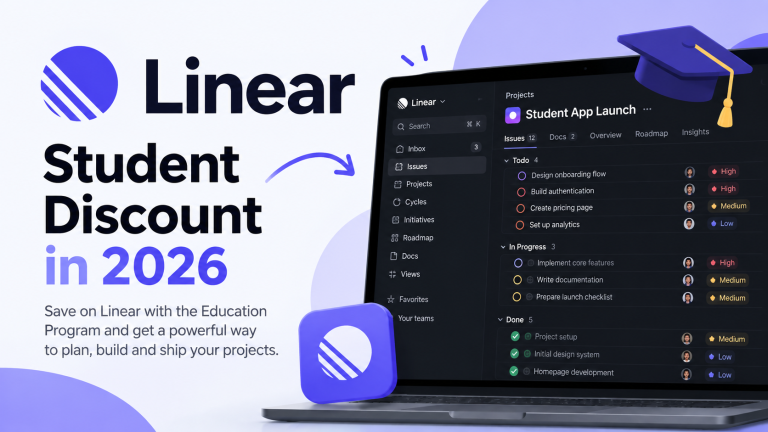
For more student coding options, compare the Zed student plan guide and Kiro student offer guide. To organize a software group project alongside your coding tools, see the Linear student discount guide.
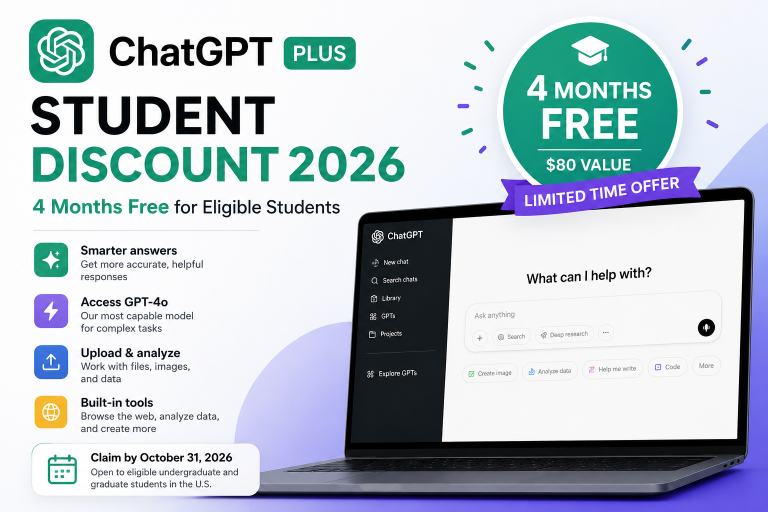
For education access to the wider Claude and ChatGPT ecosystems, see the Claude student access guide and ChatGPT Plus student offer guide. These guides describe separate access programs; do not assume a university chatbot benefit automatically includes every coding product.
Official Sources Checked
- GitHub Copilot plans
- Cursor for Students
- Windsurf for Students terms
- Claude Code official documentation
- OpenAI Codex product page
- Google Gemini CLI documentation
Last verified: October 19, 2026 (offer information). Student access and offer availability were reviewed against official program pages. Cursor’s legacy offer is closed; a current Windsurf/Devin student discount is unconfirmed. Each program has its own eligibility and usage limits. Source: GitHub Copilot plans. Prices and eligibility can change.



15 Comments