

GitHub Student Developer Pack 2026: Every Free Tool & Benefit Students Should Claim
When I was studying Computer Science, I knew GitHub had a student program.
I thought it was basically a free GitHub upgrade.
I was very wrong.
The GitHub Student Developer Pack is one of the biggest collections of free developer tools, AI coding benefits, cloud credits, domains, hosting offers, coding courses, IDEs, databases, and student software deals I have found.
And the strange part is that many eligible students either never apply or activate the pack and then ignore most of the benefits.
That is a mistake.
If you are a Computer Science student, software engineering student, data science student, web developer, or simply a student learning to code, the GitHub Student Pack can give you access to professional tools that would otherwise cost real money.
What Benefits Are Included in the GitHub Student Developer Pack?
The GitHub Student Developer Pack gives verified students free or discounted access to developer tools, AI coding features, cloud credits, domains, hosting, databases, professional IDEs, and coding courses. If you are searching for the GitHub Student Developer Pack benefits list, GitHub student benefits, or the best GitHub Student Pack benefits, the most valuable current offers include GitHub Pro, Copilot Student, JetBrains IDEs, Microsoft Azure credits, CamberCloud student compute, GitHub Codespaces, free domains, and learning platforms.
GitHub Student Pack benefits summary
- GitHub Pro: free while you remain an eligible student.
- GitHub Copilot Student: free AI-assisted coding for verified students.
- Cloud and compute benefits: Microsoft Azure credits, CamberCloud’s student compute plan, Heroku credits, Codespaces, and other current partner offers.
- Free domains: selected domain offers for portfolios, apps, and project websites.
- Developer tools: JetBrains IDEs, GitHub Codespaces, Termius, databases, and infrastructure tools.
- Learning benefits: free or discounted access to coding courses and certification resources.
The GitHub Student Developer Pack gives verified students access to GitHub Education benefits and a large collection of free or discounted developer tools. Current offers include GitHub Pro free while you are a student, cloud credits, free domains, developer tools, coding courses, database credits, Codespaces benefits, and many other partner offers.
GitHub’s current Copilot documentation lists Copilot Student as free for verified students. The plan includes unlimited code completions, an allowance of GitHub AI Credits, and limited chat and agent usage through auto model selection.
Get the GitHub Student Developer Pack →
What Is the GitHub Student Developer Pack?
The GitHub Student Developer Pack is part of GitHub Education, GitHub’s student and education program.
GitHub describes the pack as a way for students to get hands-on experience with real-world developer tools that might otherwise be too expensive.
This is what makes the pack different from a normal student discount.
You are not getting 10% off one app.
You are getting access to a collection of offers across categories such as:
- AI coding tools
- Developer tools and IDEs
- Cloud hosting and cloud credits
- Free domains and SSL
- Databases and infrastructure
- Data science and machine learning tools
- Programming courses and learning platforms
- Security and analytics tools
- Mobile development
- Productivity and design software
GitHub Education also includes curated learning experiences, student events, GitHub Classroom access, the GitHub Education Community, and other resources beyond the individual pack offers.
Check the current GitHub Student Pack benefits here →
Best GitHub Student Developer Pack Benefits in 2026: Quick Comparison
If you only want the short version, the best GitHub Student Developer Pack benefits in 2026 are the offers that help you code, deploy projects, build a portfolio, or learn a skill you will actually use. My top picks are GitHub Pro, Copilot Student for verified students, JetBrains, Microsoft Azure, CamberCloud, GitHub Codespaces, a free domain, and one strong learning platform.
| Benefit | Current student offer | My rating | Best for |
|---|---|---|---|
| GitHub Pro | Free while you are a student | ★★★★★ | Every coding student |
| GitHub Copilot Student | Free for verified students; includes unlimited code completions, GitHub AI Credits, and limited chat and agent usage | ★★★★★ | AI-assisted coding |
| CamberCloud | Free student plan while enrolled: 40 CPU hours, 5 GPU hours, 50 GB storage, and 50 agent messages per month | ★★★★★ | Data science, ML, agents, and compute-heavy projects |
| Microsoft Azure | $100 credit plus 25+ services for eligible students aged 18+ | ★★★★★ | Cloud and backend projects |
| Namecheap | Free .me domain for 1 year plus SSL offer | ★★★★★ | Portfolio websites |
| Name.com | Select free domain from 25+ extensions | ★★★★★ | Projects and portfolios |
| .TECH | One standard .TECH domain free for 1 year | ★★★★☆ | Developer portfolios |
| JetBrains | Free student subscription, renewed annually | ★★★★★ | IntelliJ, PyCharm, and JetBrains IDE users |
| GitHub Codespaces | Free Pro-level access | ★★★★★ | Cloud development environments |
| Frontend Masters | 6 months free access | ★★★★★ | JavaScript and front-end learning |
| Educative | 6 months free access to 70+ courses plus a subscription discount | ★★★★★ | Programming and interview skills |
| DataCamp | 3 months free access | ★★★★☆ | Data science and Python |
| MongoDB | $50 Atlas credits plus learning/certification benefits | ★★★★☆ | Database projects |
| Heroku | $13 per month credit for 24 months | ★★★★☆ | Deploying student apps |
| Notion | Education plan benefits plus additional AI responses through the pack offer | ★★★★☆ | Student organization and notes |
September 2026 update: GitHub Student Developer Pack offers change often. We rechecked the live pack and GitHub’s official partner changelog on September 14, 2026. DigitalOcean left the Pack for new redemptions after July 31, 2026, while CamberCloud updated its student offer in August. The comparison above reflects those changes rather than the older July benefit list.
Table of Contents
- GitHub Copilot for students
- GitHub Pro free for students
- Free domains for students
- Cloud hosting and Azure credits
- Developer tools and IDEs
- Free coding courses and education programs
- Data science and AI tools
- Camber Student Plan and Camber Cloud student plan
- Best GitHub Student Pack benefits to claim first
- Who is eligible?
- How to apply
- How to renew the GitHub Student Developer Pack
- Is the GitHub Student Pack worth it?
- Frequently asked questions
GitHub Copilot Student Plan: Is GitHub Copilot Free for Students?
This is probably the benefit most students care about in 2026.
Yes. GitHub’s current official Copilot documentation lists Copilot Student as free for verified students. Students searching for GitHub Copilot student benefits, GitHub Copilot student pricing, or whether GitHub Copilot is free for students are looking for this same benefit inside GitHub Education.
The current Copilot Student plan includes unlimited code completions, an allowance of GitHub AI Credits, and limited chat and agent usage with models available through auto model selection.
For comparison, GitHub currently lists Copilot Pro as a paid individual plan.
That makes GitHub Copilot Student one of the most valuable benefits I would check first after verifying your student status.
One important clarification: GitHub’s temporary sign-up pause announced for April 22, 2026 applies to new self-serve Copilot Business sign-ups for organizations on GitHub Free and GitHub Team plans. It does not describe Copilot Student as paused.
My recommendation is to apply for GitHub Education and the Student Developer Pack, verify your student status, and then access Copilot Student through your eligible GitHub account.
Why GitHub Copilot is useful for Computer Science students
I am a backend developer and studied Computer Science, so I think the best way to describe Copilot is not “AI writes your assignments.”
That is the wrong way to use it.
GitHub Copilot can be useful for:
- Autocomplete-style coding suggestions
- Exploring unfamiliar APIs
- Generating repetitive boilerplate
- Explaining existing code
- Drafting unit tests
- Refactoring code
- Finding possible implementation approaches
You still need to understand, review, test, and debug the code.
For students, I think Copilot is most useful when it helps you move faster through repetitive work while you remain responsible for the technical decisions.
GitHub Pro Is Free While You Are a Student
The official GitHub Student Developer Pack currently lists GitHub Pro free while you are a student.
This is the core GitHub benefit of the pack.
Even though GitHub Free already supports unlimited public and private repositories, GitHub Education gives verified students access to additional education benefits and professional developer tools through the GitHub Education portal.
For a student, I would use GitHub for:
- University coding projects
- Personal projects
- Kaggle or data science project code
- Seminar and academic project repositories
- Building a developer portfolio
- Contributing to open source
- Group software projects
One of the best things I did as a student was keep serious projects in GitHub instead of letting them disappear inside random folders on my laptop.
A good GitHub profile can also become part of your developer portfolio when you start applying for internships or junior software jobs.
Free Domains in the GitHub Student Developer Pack
The free domain offers are some of the easiest GitHub Student Pack benefits to understand and use. If you searched for a GitHub Student Developer Pack domain, free domain with GitHub Student Pack, or a student developer portfolio domain, this section covers the current domain offers already included in the pack.
If you are a Computer Science or software engineering student, I strongly recommend owning a personal domain.
You can use it for:
- Your developer portfolio
- A personal website
- A project landing page
- A startup idea
- A technical blog
- A student organization website
Namecheap: free .me domain for one year
The current GitHub Student Pack includes one year of registration for a .me domain through Namecheap.
GitHub also lists a free SSL certificate for one year as a separate Namecheap offer.
A .me domain can work very well for a personal developer portfolio.
Name.com: select free domains from more than 25 extensions
Name.com’s current pack offer lets students build a project on a select free domain from more than 25 domain extensions.
GitHub’s current pack page gives examples such as:
- .live
- .studio
- .software
- .app
- .dev
For a coding project, a .dev or .app domain can be much more memorable than sending someone a long deployment URL.
Free .TECH domain for one year
The GitHub Student Pack also currently includes one standard .TECH domain free for one year.
Personally, I would not claim three free domains just because they are free.
I would choose one good domain and actually build something on it.
Free Cloud Hosting and Cloud Credits for Students
This is where the GitHub Student Developer Pack becomes extremely useful for real projects.
A lot of students build projects locally and stop there.
The code works on the laptop.
But there is no deployed app, no public API, and nothing a recruiter or lecturer can actually open.
The cloud benefits in the GitHub Student Pack can help fix that. Students searching for GitHub Student Developer Pack free hosting, cloud credits, Azure student benefits, Codespaces, or student compute offers are usually looking for the current benefits in this section.
DigitalOcean Student Pack Offer Ended in July 2026
DigitalOcean is no longer a current GitHub Student Developer Pack benefit for new claims. GitHub’s official Student Developer Pack changelog says DigitalOcean left the Pack and its $200 student-credit offer stopped being available after July 31, 2026. Previously redeemed credits expired on August 1, 2026.
This is a good example of why old GitHub Student Pack lists become inaccurate quickly. For current cloud and compute benefits, look at Azure, Codespaces, Heroku, CamberCloud, and the live GitHub partner list instead.
Microsoft Azure Credits in the GitHub Student Developer Pack
GitHub’s current pack page lists free access to more than 25 Microsoft Azure cloud services plus $100 in Azure credit for students aged 18 and older.
The offer description says no credit card is required.
GitHub also lists a separate Azure offer for students aged 13–17 with access to services such as Azure App Services, Functions, Notification Hubs, MySQL in-app, Application Insights, and Azure DevOps.
This makes Azure one of the better cloud-learning options in the pack. I now have a dedicated Microsoft Azure for Students guide covering the $100 student credit, eligibility, no-credit-card signup, renewal, free services, and how the GitHub Student Developer Pack route works.
Heroku: monthly credits for 24 months
The current Heroku student offer provides $13 USD per month in credit for 24 months.
For a student who wants to deploy smaller apps and APIs, that can be a practical benefit.
Best Developer Tools and IDE Benefits in the GitHub Student Pack
JetBrains student subscription
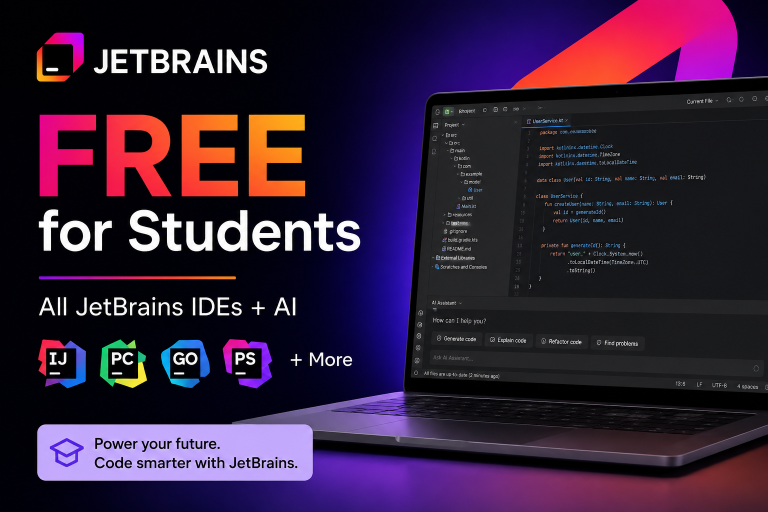
The pack currently includes a free JetBrains subscription for students, renewed annually. I have a dedicated JetBrains Student Pack guide covering the included professional IDEs, JetBrains AI access, eligibility, verification options, annual renewal, and how to claim JetBrains through your verified GitHub student account.
This is a huge benefit if you use:
- IntelliJ IDEA
- PyCharm
- WebStorm
- PhpStorm
- Other JetBrains professional IDEs
During a Computer Science degree, professional IDE access can be much more useful than another random productivity app.
GitHub Codespaces Pro-level access
The Student Developer Pack currently lists free Pro-level access to GitHub Codespaces.
Codespaces gives you a secure, configurable cloud development environment.
This can be useful when:
- Your laptop setup is broken
- You need a consistent project environment
- You switch between computers
- You want to start coding without spending an hour installing dependencies
- Your team needs a more repeatable development setup
Termius Pro and Team features
The current Termius offer gives students free access to Termius Pro and Team features while they are students.
If you work with Linux servers or SSH into cloud environments, this is a nice professional-tool benefit.
Clerk Pro free while you are a student
Clerk currently offers its Pro plan free while you are a student through the GitHub Student Pack.
Clerk provides authentication, user management, billing-related components, and developer APIs.
For students building a SaaS project, startup prototype, or portfolio app, this is one of the more interesting infrastructure offers.
Free Coding Courses and Education Programs
The GitHub Student Developer Pack is not only about free software.
There are several education and coding-course benefits that can be worth more than the tools if you actually complete them.
Frontend Masters: six months free
The current pack includes six months of free access to Frontend Masters courses and workshops.
This is particularly relevant for students learning:
- JavaScript
- Node.js
- Front-end engineering
- Modern web development
Educative: six months free plus a discount
GitHub currently lists six months of free access to more than 70 practical Educative courses covering areas such as web development, Python, Java, and machine learning.
The pack also lists a 30% discount on an Educative subscription.
Boot.dev: three months free
Boot.dev currently gives verified GitHub students three months of free access to its complete interactive membership.
The curriculum includes backend development, DevOps, data analysis, Python, Go, TypeScript, and related skills.
Codédex Club: six months free
Verified students can currently receive six months of Codédex Club for free.
Codédex includes courses in Python, HTML, CSS, JavaScript, React, Git, GitHub, and the command line.
GitHub Foundations Certification resources
GitHub Education also includes a curated GitHub Foundations Certification experience with preparation resources, FAQs, guides, and related learning offers.
For a student trying to strengthen a junior developer CV, I would rather complete a focused course or certification path than activate 20 benefits and never use any of them.
Data Science, Machine Learning, and AI Benefits
The GitHub Student Developer Pack is also surprisingly useful for data science and machine learning students. Searches around GitHub Student Developer Pack data science benefits, machine learning tools, cloud notebooks, and database credits map directly to the offers in this section.
DataCamp: three months free
GitHub’s current pack page says students can receive three months of free DataCamp access when signing up with a GitHub student account.
This can be useful for Python, SQL, data analysis, and machine learning practice.
MongoDB: Atlas credits and certification benefits
The current MongoDB offer includes $50 in MongoDB Atlas credits, access to MongoDB Compass and MongoDB University, and free certification that GitHub’s pack page values at $150.
If your university project uses a document database or you want to build a cloud application with MongoDB, this is worth claiming.
Deepnote and the Data Science & Machine Learning experience
GitHub Education groups several tools into a dedicated Data Science & Machine Learning experience.
The current experience includes tools such as Deepnote, DataCamp, MongoDB, Codespaces, Datadog, and SQLGate. Students who need more compute for scientific or machine learning work should also check the Camber student plan, which is another GitHub Student Developer Pack benefit aimed at compute-heavy workloads.
I wish I had paid more attention to this type of student benefit during my own data science projects.
When I worked on BirdCLEF and machine learning projects during my Computer Science degree, cloud environments, notebooks, database tools, and professional developer tooling were much more relevant than generic student discounts.
Camber Student Plan and Camber Cloud Student Plan
One GitHub Student Developer Pack benefit that deserves more attention is the Camber student plan.
The current CamberCloud offer was updated by GitHub on August 20, 2026. Verified students can get a free Camber Student plan while enrolled, currently including 40 CPU hours, 5 GPU hours, 50 GB of storage, and 50 agent messages per month. The offer is aimed at scientific computing, data analysis, machine learning, and agent workflows that need more compute than a typical student laptop can provide.
If you searched for the Camber Cloud student plan, Camber student plan, or Camber GitHub student access, this is the student benefit I am referring to. The Camber offer is available through the GitHub Student Developer Pack rather than as a generic university discount, so students looking for Camber GitHub Student Developer Pack benefits should start here.
For Computer Science, data science, engineering, and machine learning students, I think the Camber student plan is especially interesting when a local laptop is not enough for a course project, notebook, simulation, or other compute-heavy workload.
As with every GitHub Student Pack partner benefit, check the live Camber offer before claiming it because included resources and availability can change.
Other GitHub Student Pack Benefits Worth Knowing About
The pack is large enough that I cannot realistically recommend activating every offer.
But there are several other current benefits worth mentioning:
- Datadog: Pro account with 10 servers free for two years
- Testmail: Free Essential plan while you are a student
- Camber Student Plan / Camber Cloud student plan: Student computing benefits with CPU hours, storage, and monthly LLM messages for scientific computing
- Microsoft 365: Student access or discounts to productivity apps and AI-enabled features through the current pack offer
- Visual Studio Code coding packs: Packs for Java, Python, and .NET setup
- Notion: Education plan benefits with additional AI responses through the Student Pack offer
GitHub also organizes benefits by categories including cloud, developer tools, domains, design, machine learning and AI, infrastructure, productivity, security, mobile development, and learning.
That is why I recommend checking the live GitHub Student Developer Pack offers instead of relying only on a static list.
The 10 GitHub Student Pack Benefits I Would Claim First
If I were starting my Computer Science degree again today, I would not activate everything.
I would claim benefits in this order:
| Rank | Benefit | Why I would claim it |
|---|---|---|
| 1 | GitHub Pro | Core developer account benefit and portfolio foundation |
| 2 | GitHub Copilot Student | Free AI coding access for verified students, with unlimited code completions and included AI usage |
| 3 | JetBrains | Professional IDEs for programming courses and projects |
| 4 | A free domain | Build a real developer portfolio instead of leaving projects hidden |
| 5 | CamberCloud | Free student compute for data, ML, agents, and heavier technical projects |
| 6 | GitHub Codespaces | Fast cloud development environment |
| 7 | Frontend Masters | Strong learning resource for JavaScript and web development |
| 8 | Azure | Learn professional cloud services and deploy projects |
| 9 | MongoDB | Useful database credits and certification benefits |
| 10 | DataCamp or Educative | Choose based on whether you are focused on data or general programming |
My biggest recommendation is this:
Do not collect student offers. Use them to build something.
Claim a domain, deploy a project, learn a framework, and put the code on GitHub.
That is much more valuable than having 30 activated free accounts.
Who Is Eligible for the GitHub Student Developer Pack?
GitHub’s current student eligibility requirements are broader than many students realize.
You can qualify for GitHub Education if you:
- Are enrolled in a degree- or diploma-granting program such as a high school, college, university, or homeschool
- Have a verifiable school-issued email address or documents that prove your current student status
- Own a personal GitHub account
- Are at least 13 years old
This means the GitHub Student Developer Pack is not only for university Computer Science students.
Eligible high school students and students in other recognized degree- or diploma-granting programs may also apply.
GitHub’s current Student Developer Pack terms say student verification lasts for two years. After that, you need to revalidate your student status if you are still eligible. Partner offers can have shorter claim periods and do not necessarily reset when GitHub Education is reverified.
What Documents Can You Use to Verify Student Status?
GitHub’s official application documentation currently lists several examples of acceptable student proof:
- A picture of your school ID showing a current enrollment date
- Your current class schedule
- Your transcript
- An affiliation or enrollment verification letter
A school-issued email can also help GitHub verify your student status.
I recommend making sure your GitHub account information and student documentation are current before applying.
How to Apply for the GitHub Student Developer Pack
GitHub’s current application process is straightforward.
- Create or sign in to your personal GitHub account.
- Open your GitHub Education benefits settings.
- Under GitHub Education, select Start an application.
- Complete the student verification form.
- Submit your application.
- Once approved, open the GitHub Education portal to access your student benefits and claim partner offers.
You can start from my GitHub Student Developer Pack link.
For a broader explanation of GitHub’s education benefits, student resources, curated experiences, events, and community features, see the GitHub Education program.
Get the GitHub Student Developer Pack
Verify your student status, explore the current benefits, and claim the tools you will actually use.
Apply for the GitHub Student Pack →How Long Does the GitHub Student Developer Pack Last?
Individual partner offers have different durations.
For example, the current pack page lists:
- GitHub Pro free while you are a student
- JetBrains student access renewed annually
- CamberCloud student plan while you remain enrolled and eligible
- Namecheap domain registration for one year
- .TECH domain for one year
- Heroku monthly credits for 24 months
- Frontend Masters for six months
- DataCamp for three months
Do not assume every benefit lasts for your entire degree.
Read the individual offer terms when you claim each benefit.
How to Renew the GitHub Student Developer Pack
GitHub’s current Pack terms say student validation lasts for two years. If your GitHub Education access is nearing the end of that period and you are still an eligible student, check your benefits and verification status before access expires.
You may need to verify that you are still enrolled using current student information or documentation. I recommend keeping your GitHub account details and school proof up to date, then following the renewal or re-verification steps shown inside your GitHub Education account.
Partner benefits can have separate durations and terms, so renewing GitHub Education does not necessarily reset every third-party offer. Check each benefit individually before assuming it can be claimed again.
Is the GitHub Student Developer Pack Worth It?
Yes. Absolutely.
I have written about a lot of AI student discounts and student software offers.
Most are simple:
10% off.
20% off.
A free trial.
The GitHub Student Developer Pack is different.
It can give an eligible student access to professional development tools, cloud credits, domains, coding education, database benefits, and GitHub’s own student resources.
Even if you only claim GitHub Pro, one useful domain, JetBrains, a cloud offer, and one learning platform, the pack is worth the application in my opinion.
For Computer Science students, software engineering students, data science students, and students learning web development, I think this should be one of the first student software programs you check.
My Final Recommendation
If you are eligible, apply for GitHub Education.
Then open the Student Developer Pack and ignore the temptation to activate everything.
Ask yourself what you want to build this semester.
If you need an AI coding assistant and you are a verified student, check Copilot Student first because GitHub currently lists the plan as free for verified students.
If you need a portfolio, claim a domain.
If you have an API or app, use Azure, Heroku, Codespaces, CamberCloud, or another relevant current cloud benefit.
If you want to improve your coding skills, choose one course platform and actually finish a learning path.
The best GitHub Student Developer Pack benefit is not the one with the biggest theoretical dollar value.
It is the one you use to build something real.
Ready to Claim Your Student Developer Benefits?
Check the live GitHub Student Developer Pack because partner offers and availability can change over time.
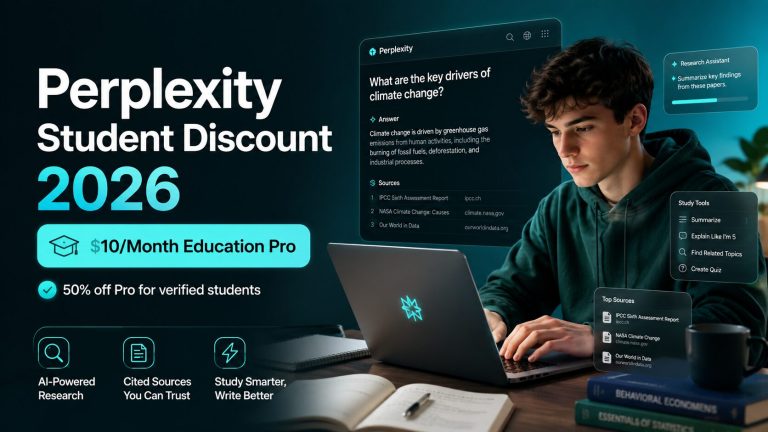
Get the GitHub Student Developer Pack →For more free student software and AI offers, visit my best AI student discounts and promo codes guide, student AI deals hub, and Notion student discount guide. Students focused on AI research can also compare the Perplexity Education Pro plan for students, while those interested in autonomous AI workflows can review the Manus Campus Program eligibility guide.
Related AI Coding Guides for Students
After claiming GitHub Education benefits, compare the best AI coding tools for students. You can also check the current Cursor student discount and Windsurf student discount before paying for another AI coding assistant.
Beyond the GitHub Pack, eligible US and Canadian university students can also check the Codex student offer for $100 in coding-agent credits. This is a separate OpenAI promotion with its own eligibility and verification process.
Beyond the GitHub Pack, eligible US and Canadian university students can also check the Codex student offer for $100 in coding-agent credits. This is a separate OpenAI promotion with its own eligibility and verification process.
How We Verified the GitHub Student Developer Pack Benefits
We rechecked GitHub’s live Student Developer Pack, the official GitHub Education student eligibility pages, and GitHub’s Student Developer Pack partner changelog. This matters because partner offers can disappear or change even when older articles and screenshots still rank in search.
The September 2026 update specifically removes DigitalOcean from the list of current benefits, adds CamberCloud’s updated August offer, and clarifies GitHub’s current two-year student-validation period. See our How We Check page for the methodology we use on student software offers.
GitHub Student Developer Pack: Frequently Asked Questions
Is the GitHub Student Developer Pack free?
Yes. Eligible verified students can apply for GitHub Education and access Student Developer Pack offers. Individual partner offers have their own terms and durations.
Can students get GitHub Copilot for free?
Yes. GitHub’s current official Copilot documentation lists Copilot Student as free for verified students. The plan includes unlimited code completions, an allowance of GitHub AI Credits, and limited chat and agent usage through auto model selection.
Is GitHub Pro free for students?
Yes. The current GitHub Student Developer Pack lists GitHub Pro free while you are a student.
Does the GitHub Student Pack include a free domain?
Yes. Current offers include a free .me domain for one year through Namecheap, select free domains through Name.com, and a standard .TECH domain free for one year. Offer availability can change.
Does the GitHub Student Pack include free hosting?
The pack includes cloud and deployment benefits rather than one universal hosting plan. Current examples include $100 in Azure credit for eligible students aged 18+, Heroku monthly credits, Codespaces Pro-level access, and CamberCloud’s student compute plan. The former $200 DigitalOcean offer ended for new claims after July 31, 2026.
Who can apply for the GitHub Student Developer Pack?
GitHub says students can qualify if they are enrolled in a degree- or diploma-granting program such as high school, college, university, or homeschool; can verify student status; own a personal GitHub account; and are at least 13 years old.
Do I need a student email for GitHub Education?
GitHub accepts a verifiable school-issued email or documentation proving student status. Its current documentation lists a student ID with a current enrollment date, class schedule, transcript, and enrollment verification letter as examples of student proof.
What are the best GitHub Student Pack benefits?
My top benefits are GitHub Pro, Copilot Student for verified students, JetBrains, a free domain, CamberCloud, GitHub Codespaces, Frontend Masters, Azure, MongoDB benefits, and one learning platform that matches your goals.
How do I renew the GitHub Student Developer Pack?
If you are still an eligible student, check your GitHub Education benefits and verification status and follow the renewal or re-verification steps shown in your account. You may need current proof of enrollment. Individual partner offers can have separate terms and may not automatically reset when your GitHub Education access is renewed.
What is the Camber Student Plan?
The Camber student plan is a student computing benefit listed in the GitHub Student Developer Pack. The current offer includes computing resources such as CPU hours, storage, and monthly LLM messages. If you searched for Camber Cloud student, Camber GitHub student, or the Camber GitHub Student Developer Pack offer, this is the benefit to check. Review the live GitHub Student Pack listing for the latest included resources and availability.
Is the GitHub Student Developer Pack worth it for non-CS students?
It can be. The pack includes productivity, cloud, domains, learning, data, design, and technical-writing resources in addition to traditional developer tools. The value depends on which offers match your studies or projects.
Where do I apply for the GitHub Student Developer Pack?
You can start through my GitHub Student Developer Pack link. For the wider student portal and education resources, see the GitHub Education program.
Last verified: September 14, 2026. We rechecked the live GitHub Student Developer Pack, GitHub Education eligibility terms, and the official partner changelog. Partner benefits can change, so use the live Pack page as the final source before claiming an offer.
15 Comments