
Windsurf vs Cursor 2026: Which AI Code Editor Is Better for Students?
AI Code Editors for Students
Windsurf vs Cursor: Which AI Code Editor Wins in 2026?
Cursor is the stronger all-around choice for most students who want a polished, familiar editor with powerful codebase-aware agents. Windsurf is especially appealing for students who prefer a more agent-first workflow and want to compare the current Devin Desktop workflow.
Windsurf vs Cursor: The Quick Verdict
Choose Cursor for the best all-around experience
Best for students who want a mature VS Code-style editor, excellent autocomplete, strong codebase context, precise inline edits, and flexible Agent, Ask, and Manual workflows.
Choose Windsurf for an agent-first workflow
Best for students who want Cascade to take a larger role across a project, prefer an integrated agentic workflow, or want to compare its successor, Devin Desktop.
My overall winner for most students: Cursor. It combines a familiar editor, strong Tab autocomplete, codebase-aware Agent mode, direct inline editing, and read-only Ask mode in a way that is easy to learn gradually.
My winner for students who want the AI to take more initiative: Windsurf. Cascade is designed as an integrated coding agent that can understand the project, make multi-file changes, use tools, and keep the workflow moving without requiring constant context switching.
Student-offer update, October 19, 2026: Cursor ended new legacy student-discount sign-ups on June 25, 2026. Existing recipients retain their rate until expiry. Windsurf’s former student page now redirects to Devin Desktop, where a new student discount was not confirmed. Choose based on current access and workflow, rather than either historical offer. The Windsurf feature descriptions below describe the earlier editor workflow; check Devin Desktop for the current interface.
Windsurf vs Cursor Comparison Table
Cascade vs Cursor Agent: Which AI Coding Agent Is Better?
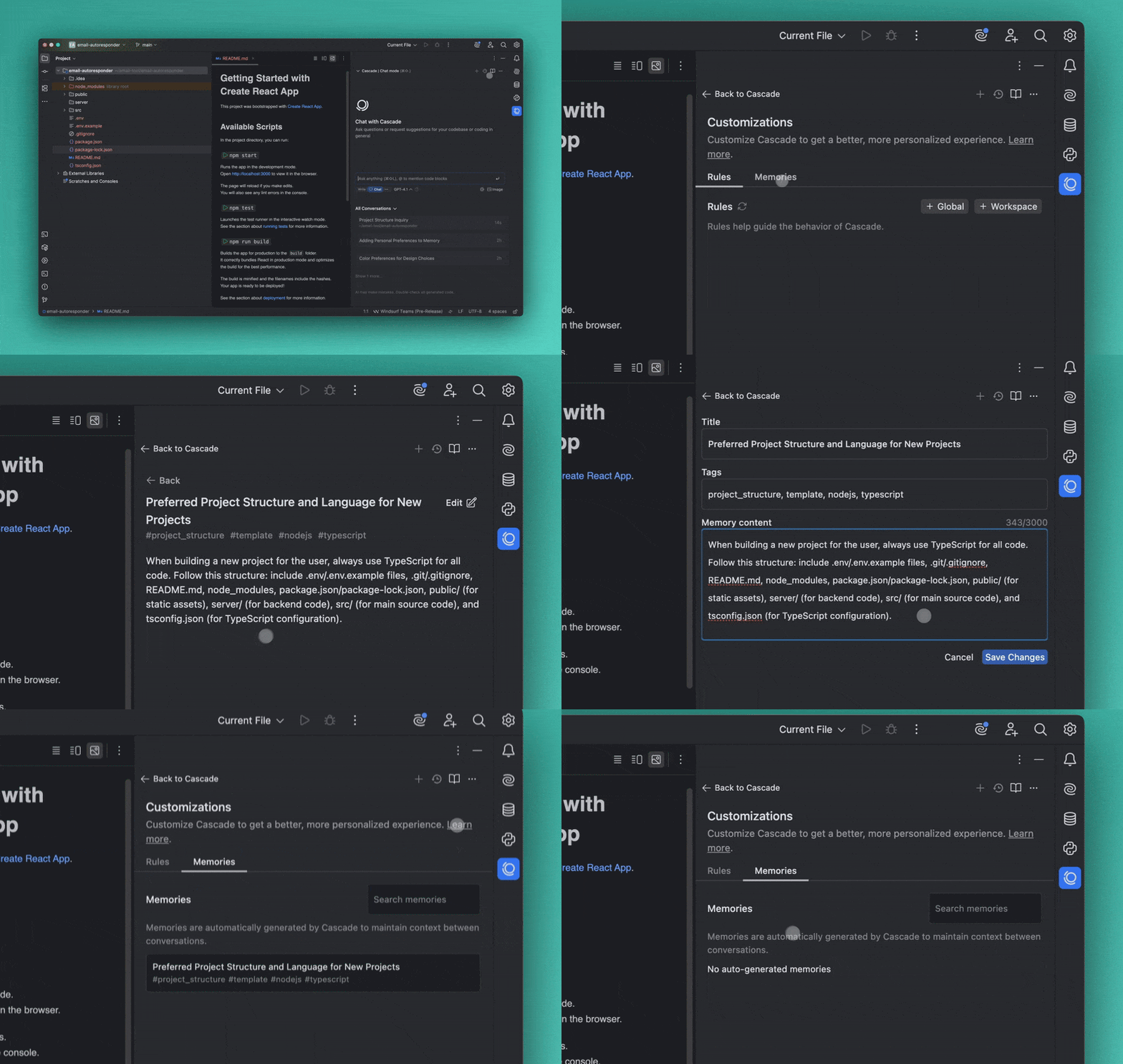
Windsurf Cascade: stronger agent-first identity
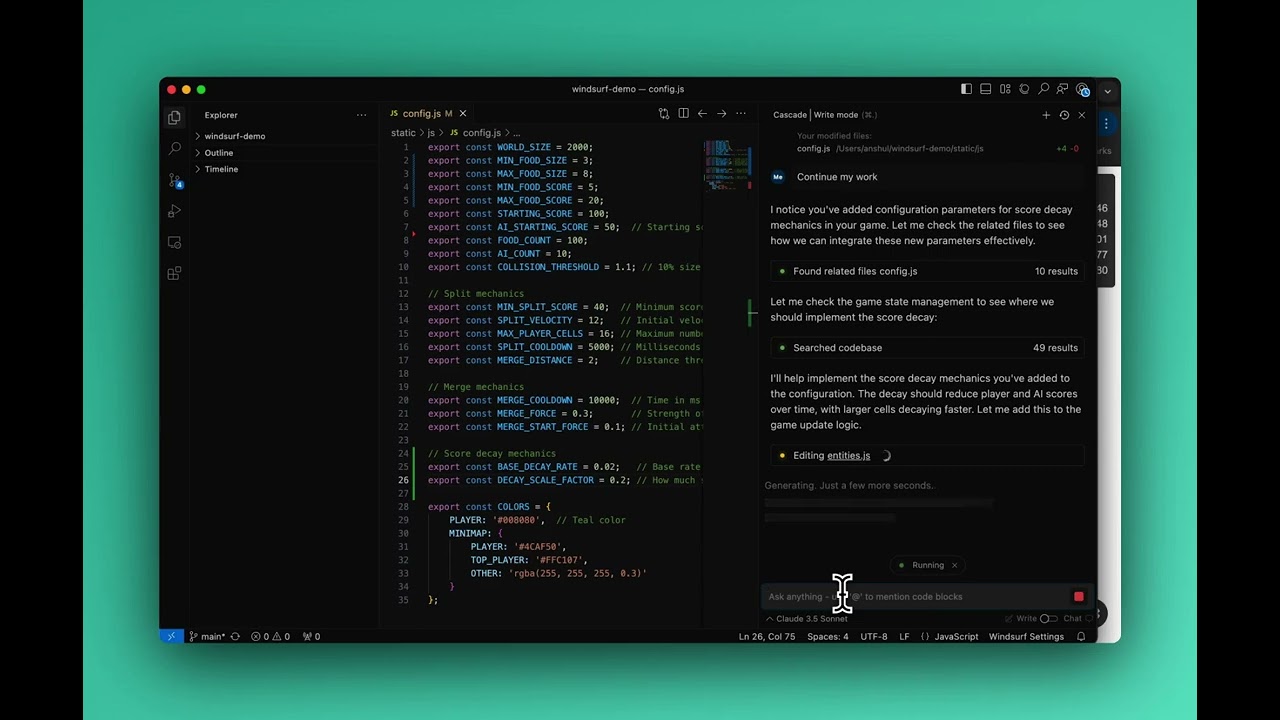
Windsurf is built around the idea of an agentic IDE. Cascade is not only a chat box beside your code. It can inspect a codebase, plan changes, edit several files, run tools, react to errors, and continue working with awareness of what you are doing inside the editor.
That makes Windsurf attractive when you want to describe a feature at a high level and let the AI handle more of the implementation. For example, you could ask it to add authentication, create the required routes, update the database model, and write tests across a student project.
The advantage is speed. The risk is that beginners may accept a large set of changes without understanding them. Cascade is most useful when you review the plan, inspect every diff, and ask the agent to explain unfamiliar code before keeping it.
Cursor Agent: better balance between automation and control
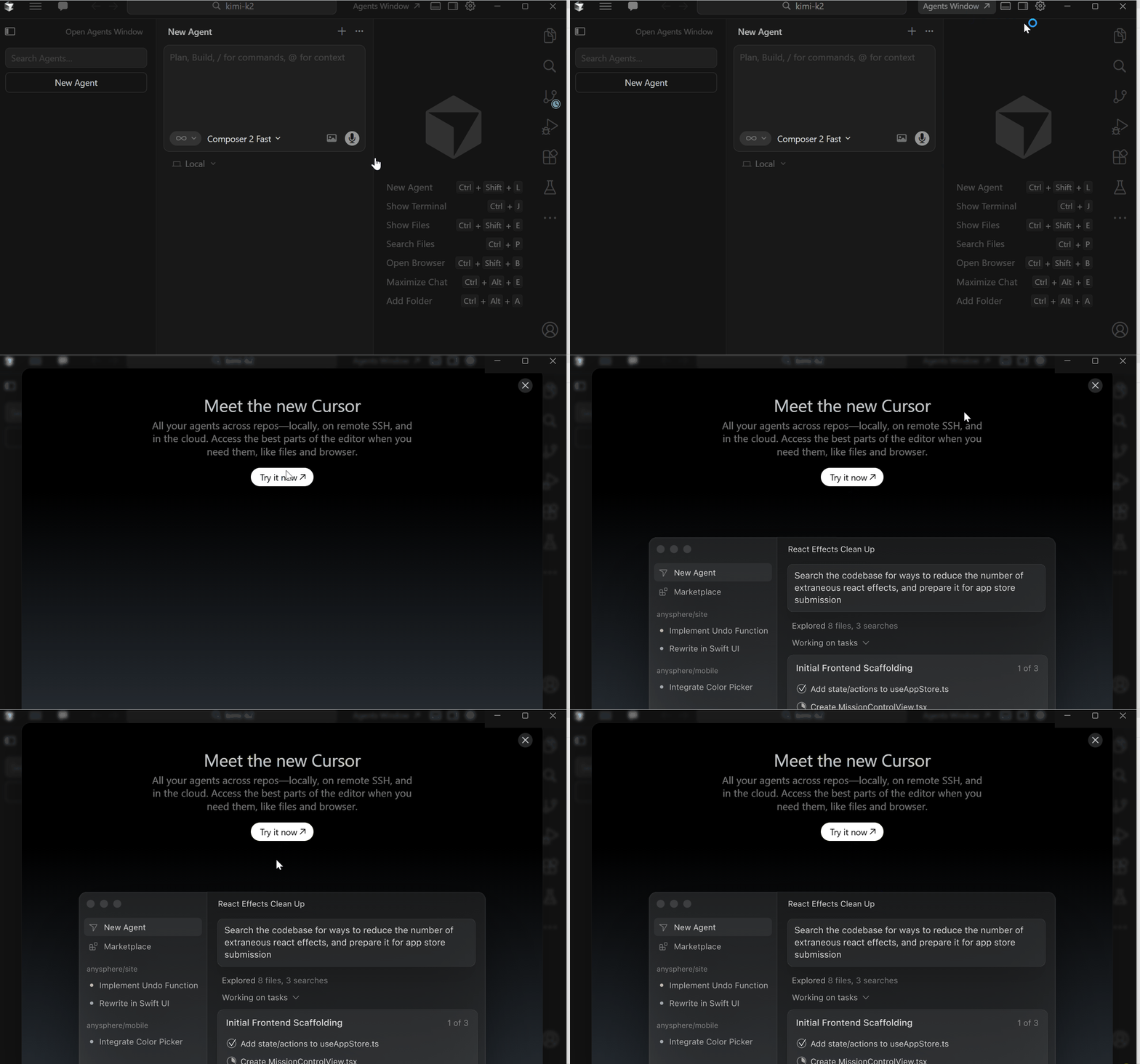
Cursor Agent can autonomously explore a codebase, edit multiple files, run terminal commands, and fix errors. Cursor also separates different workflows more clearly: Agent for complex tasks, Ask for read-only exploration, and Manual for focused edits to selected files.
This separation is especially useful for students. You can use Ask mode while learning a repository, switch to Manual mode for a small change, and only use Agent when you are ready to delegate a larger task. It creates a clearer ladder from assistance to automation.
Mid-comparison verdict
Want the AI to drive? Windsurf. Want clearer control levels? Cursor.
Both can complete complex coding tasks, but Windsurf feels more agent-first while Cursor makes it easier to choose exactly how much autonomy the AI receives.
Which Is Better for Learning Programming?
Cursor has a slight advantage for learning. Ask mode can search the codebase and answer questions without modifying files. That is ideal when you need to understand a lecturer’s starter project, trace how data flows through an application, or learn why a function behaves a certain way.
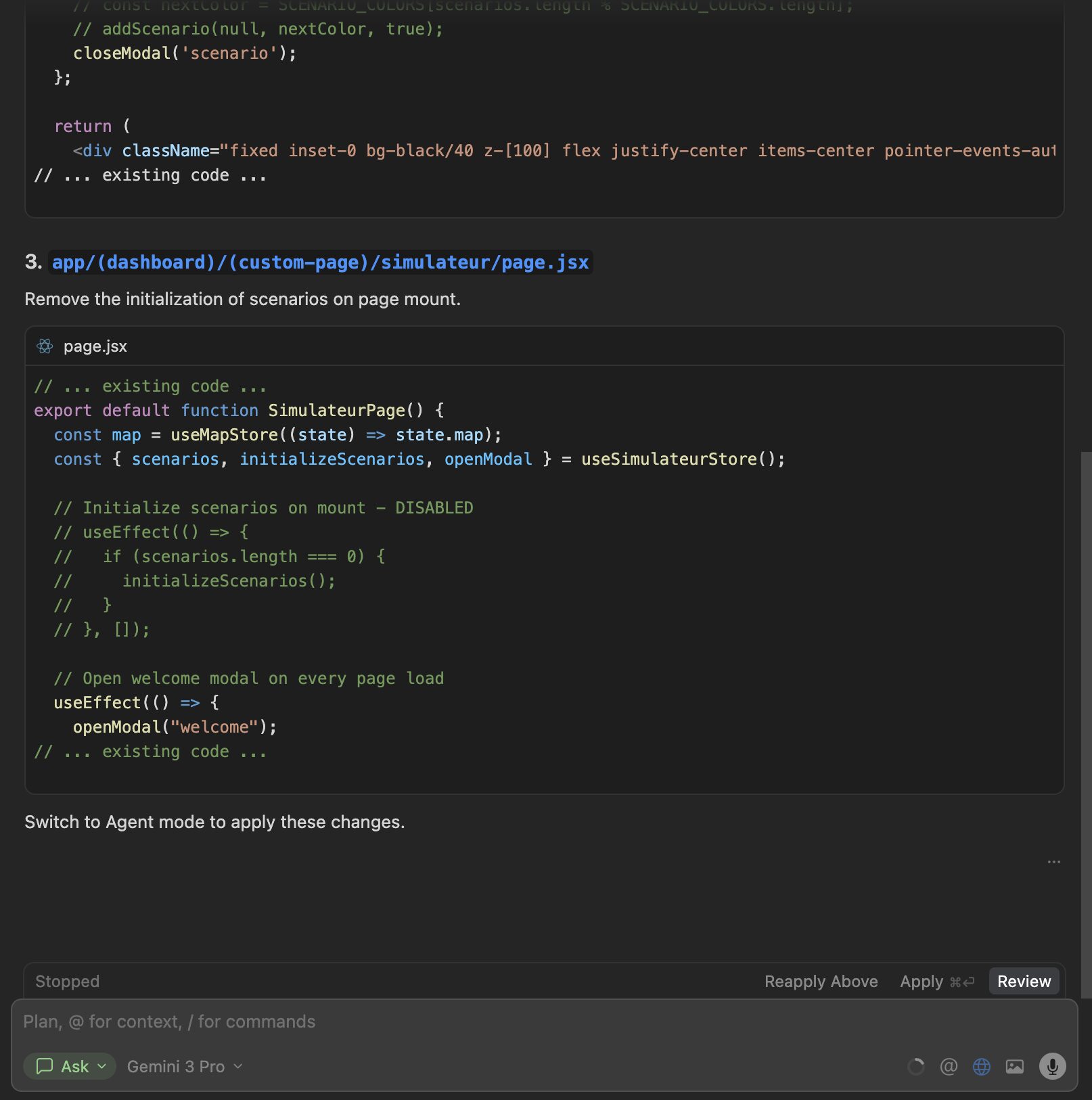
Cursor’s inline editor also lets you select a specific section and ask for an explanation before applying a change. This encourages a smaller, more deliberate workflow instead of asking the AI to rewrite the entire assignment.
Windsurf can also be an excellent tutor. Cascade can explain unfamiliar code, help debug errors, and connect information across several files. It may feel more conversational and proactive, but students need to be disciplined about asking for explanations rather than only requesting finished solutions.
Cursor Tab vs Windsurf Tab
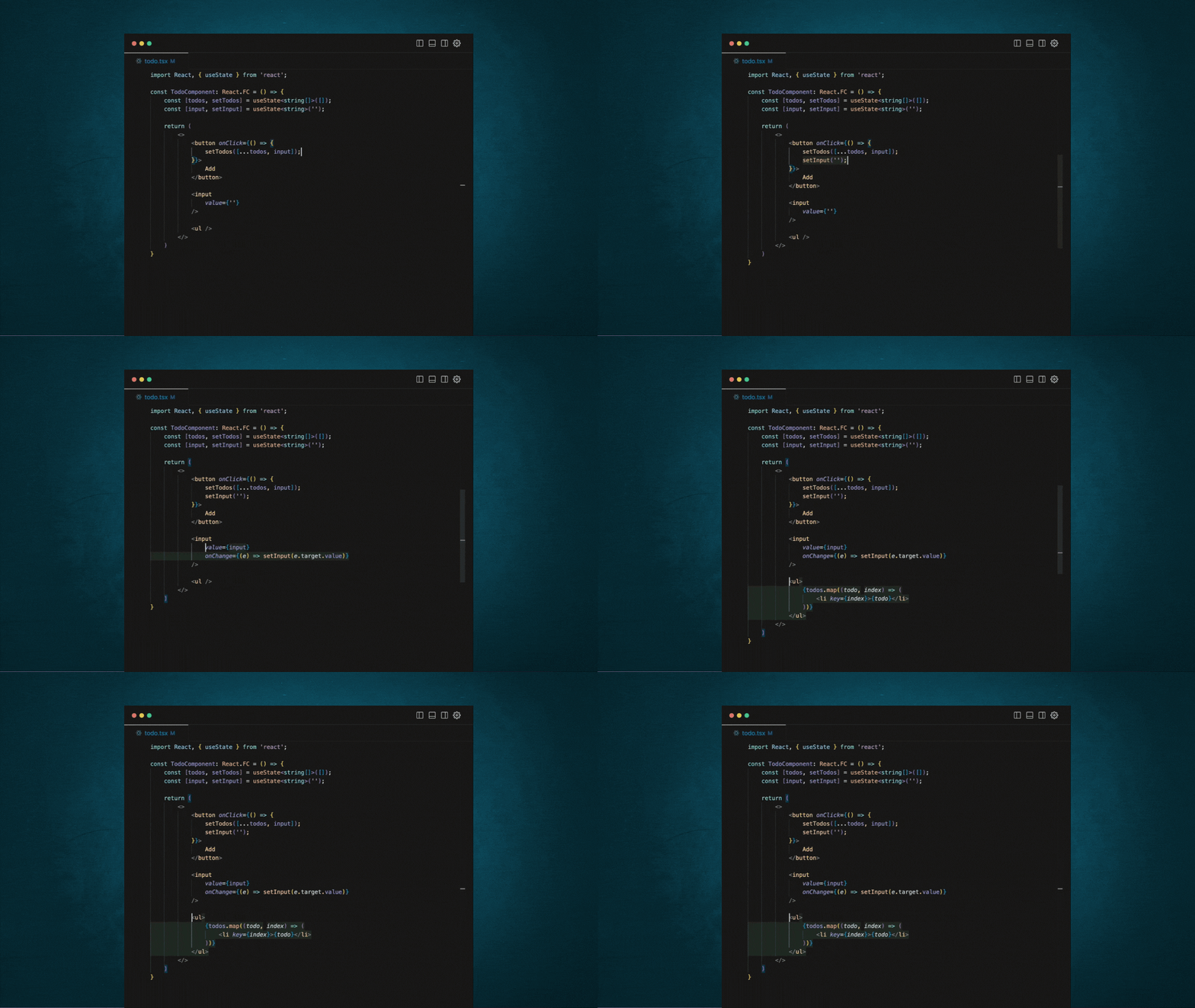
Both editors provide context-aware autocomplete that goes beyond finishing one line. They can predict larger edits, suggest repeated changes, and help move through related parts of a file or project.
Cursor Tab feels like the safer recommendation for most students. It is deeply integrated into Cursor’s workflow and is designed to predict multi-line edits and upcoming changes across files. It can reduce repetitive typing without forcing you to hand an entire task to an agent.
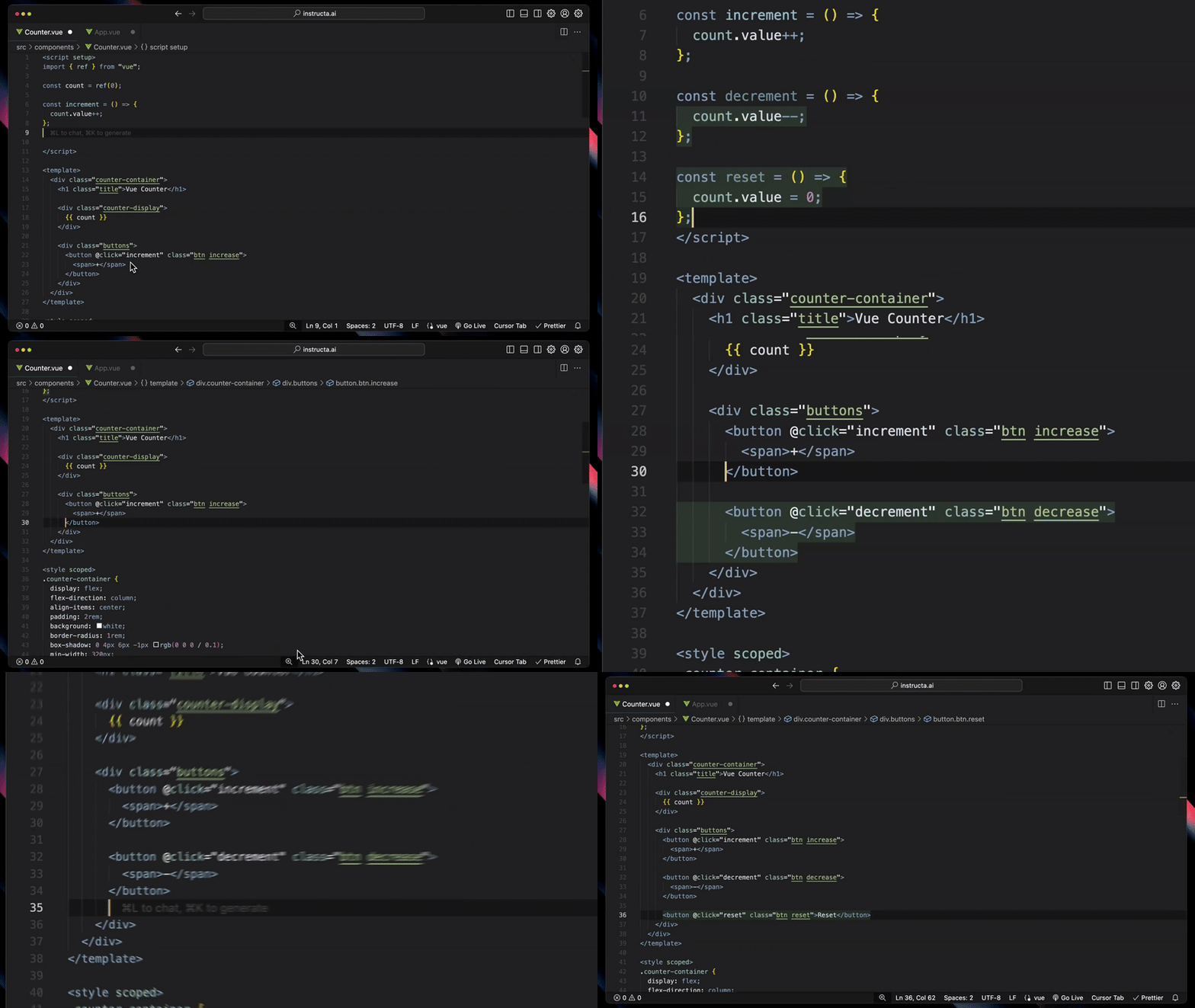
Windsurf Tab is also powerful and works naturally alongside Cascade. Students who spend most of their time inside the Windsurf workflow may prefer how autocomplete and the agent feel like parts of the same system.
Codebase Understanding and Debugging
Modern AI code editors become much more useful when they understand more than the currently open file. Both Windsurf and Cursor can search across a project, find relevant files, connect symbols, and use broader context when answering questions or making changes.
Cursor lets you reference files, symbols, documentation, and other context directly. Its Agent can search the codebase, run commands, detect errors, and apply fixes. The review interface also makes it straightforward to inspect additions and deletions before accepting them.
Windsurf emphasizes deep project awareness through Cascade. It is particularly effective when a task touches several parts of an application and the AI needs to keep track of your recent actions, project context, and tool output.
For a small university assignment, the difference may be minor. For a larger final project with a frontend, backend, database, and tests, the quality of codebase context becomes one of the most important reasons to use either editor.
Windsurf vs Cursor Pricing for Students
Both editors offer free access, but limits and paid-plan details can change. The student offers are currently more important than the normal monthly prices.
- Cursor for Students: new legacy student-discount sign-ups ended June 25, 2026. Check campus and online event offers or academic credit requests.
- Windsurf / Devin Desktop: the former student application redirects to Devin Desktop; do not assume the earlier discounted Pro offer is available.
- Windsurf Free includes a light quota for agents, limited model availability, unlimited inline edits, and unlimited Tab completions.
- Windsurf Pro is currently listed at $20 per month before any eligible student discount and includes higher quotas and broader model access.
- Cursor’s regular plans and usage allowances can change, so students should verify the current plan page before paying after the free student period ends.
Cursor student offer
Check current student access
Check campus and online event offers; the legacy free-year program is closed to new applicants.
Verify Student Status →Windsurf student offer
Check Devin Desktop access
Check the current product and account pricing before subscribing.
Check Student Eligibility →Which Editor Is Better for Your Student Use Case?
Choose Cursor for coursework, debugging, and learning unfamiliar code
Cursor is the safer default for most students because it supports several levels of assistance. It is especially suitable for:
- Understanding starter code with a read-only Ask workflow
- Debugging programming assignments one error at a time
- Making precise changes with inline edit
- Refactoring a personal project across several files
- Learning a new framework while keeping control of the implementation
- Students trying Cursor’s free plan or campus offers
Choose Windsurf for hackathons and ambitious project building
Windsurf is a strong choice when you want the AI to act more like a project partner. It is especially suitable for:
- Building a prototype during a hackathon
- Making coordinated changes across a full-stack project
- Students who prefer one integrated agentic workflow
- Generating, testing, and refining larger features
- Exploring an unfamiliar repository with a proactive assistant
- Students comparing current Devin Desktop plans
Cursor Pros and Cons
Pros
- Excellent Tab autocomplete
- Clear Agent, Ask, and Manual workflows
- Strong inline editing
- Familiar VS Code-style experience
- Good codebase context and diff review
- Legacy free-year offer closed to new sign-ups
Cons
- Powerful agents can still produce incorrect or unnecessary changes
- Heavy use can make students overly dependent on generated code
- Pricing and usage limits after the student period may change
Windsurf Pros and Cons
Pros
- Strong agent-first workflow with Cascade
- Useful for multi-file and full-project tasks
- Integrated autocomplete and agent experience
- Free plan includes unlimited Tab completions and inline edits
- Current student discount requires confirmation
Cons
- Large agent-driven changes can be harder for beginners to review
- Historical student offer is not confirmed for new applicants
- The agent-first style may feel excessive for small assignments
- Students still need to test and understand every generated change
Final Verdict: Is Windsurf or Cursor Better?
Cursor is the better AI code editor for most students in 2026. Its autocomplete, inline editing, codebase understanding, and clearly separated Agent, Ask, and Manual modes make it useful for both learning and building. The legacy free-year student offer is closed to new applicants.
Windsurf is the better choice for students who want a more agent-driven development experience. Cascade is compelling when you are building a substantial project, working under a tight hackathon deadline, or want the AI to coordinate changes across many files with less manual prompting.
My practical recommendation is to test Cursor’s free plan first. Try Windsurf as well when you begin a larger personal project and compare the same task in both editors. The better tool is the one that improves your speed without reducing your understanding of the code.
Students considering a more autonomous coding agent should also read our Devin AI student discount and pricing guide.
Choose your workflow
Control with Cursor. Agent-first building with Windsurf.
Both editors can save hours, but the best student workflow still includes reading the code, reviewing every diff, and testing the result yourself.
Frequently Asked Questions
Is Windsurf better than Cursor?
Windsurf can be better when you want an agent-first coding workflow and prefer Cascade to coordinate larger changes across a project. Cursor is usually better for students who want a balanced editor with strong autocomplete, inline edits, codebase questions, and several levels of AI autonomy.
Is Cursor better than Windsurf for students?
Cursor is the stronger default for most students. It is easy to use for learning, debugging, and precise edits, and students can test its free plan or check current campus offers.
Do Cursor or Windsurf offer student discounts?
Cursor’s legacy free-year offer is closed to new sign-ups. Its current options include event promotions and academic credit requests. Windsurf’s former student page redirects to Devin Desktop, so an active student discount must be confirmed separately.
Which editor is better for beginners?
Cursor is slightly better for beginners because Ask mode can explain a codebase without changing it, while Manual and inline editing provide more control over small changes. Beginners can still use Windsurf effectively by requesting explanations and reviewing every edit.
Which is better for hackathons?
Windsurf may have an edge for hackathons because its agent-first workflow is well suited to quickly coordinating multi-file features. Cursor is also excellent for fast prototyping and may be preferable when the team wants tighter control over each change.
Can Windsurf and Cursor replace learning to code?
No. Both can explain code, generate examples, and accelerate projects, but students still need to understand programming fundamentals, review generated changes, test their work, and follow their school’s academic-integrity rules.
Can I use Windsurf or Cursor for free?
Yes. Both provide free access with limitations. Cursor’s legacy student offer is closed to new applicants, and a current Windsurf student offer has not been confirmed.
Last verified: October 19, 2026 (offer information). Cursor’s legacy offer is closed to new applicants. Windsurf’s old student URL redirects to Devin Desktop; its historic discount is not confirmed for new applications. Source: Cursor student-offer terms. Prices and eligibility can change.




Appreciate the depth in this piece.