
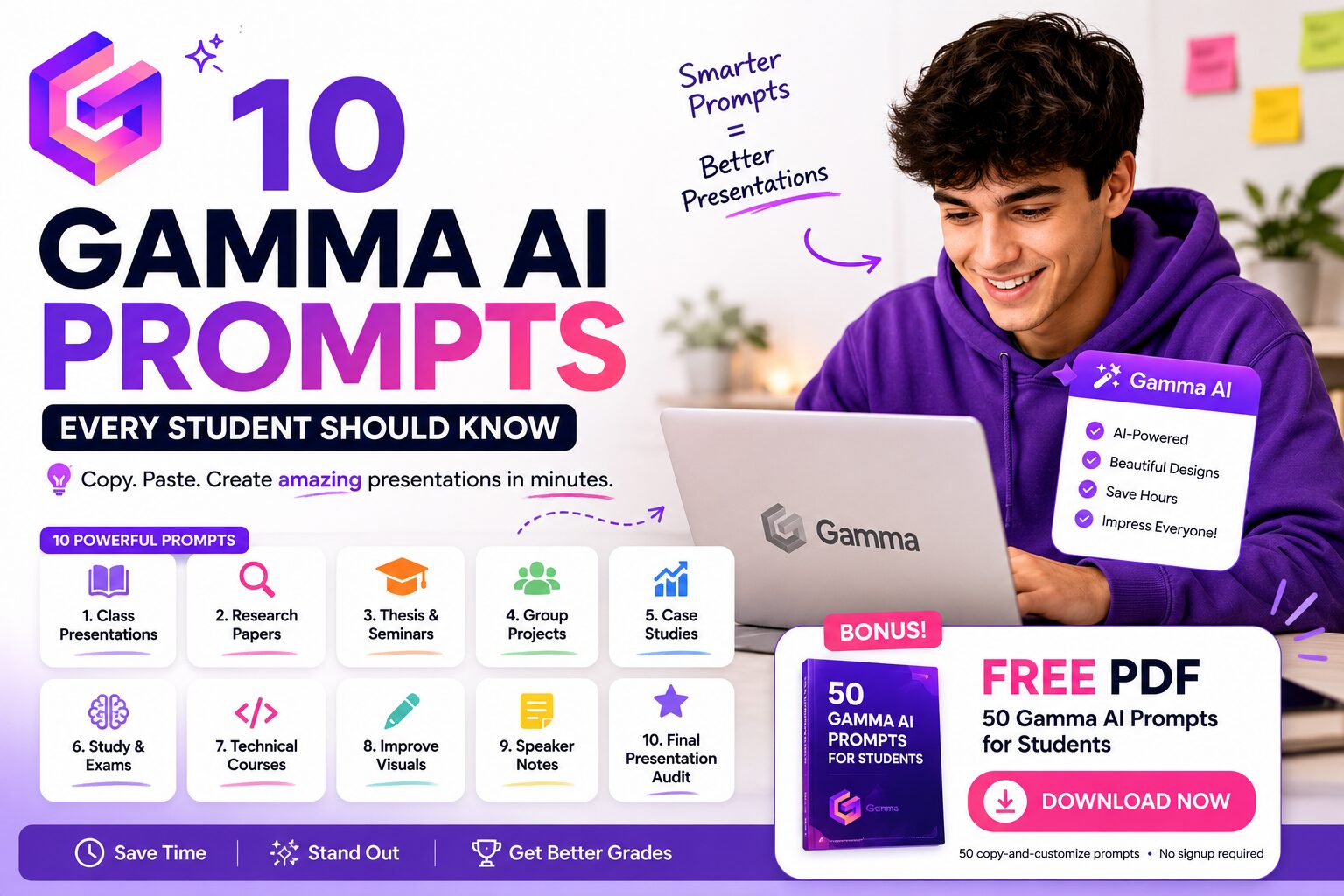
10 Gamma AI Prompts Every Student Should Know (2026)
The first time I used Gamma AI for a real university presentation, I made the same mistake I now see almost every beginner make.
I gave it a very basic prompt.
Make a presentation about my machine learning project.
Gamma created something that looked good. The layout was clean. The presentation had a beginning, middle, and end.
But the content felt generic.
That was when I realized something important: Gamma AI is much better when you tell it how to think about the presentation, not just what the topic is.
After using Gamma for class projects and presentations, including the presentation I described in my Gamma AI student review, I started saving the prompts that gave me the best starting points.
These are the 10 Gamma AI prompts I think every student should know.
Do not copy these prompts and leave the parts in brackets unchanged. Replace [TOPIC], [AUDIENCE], [NOTES], and the other placeholders with your real assignment details. The more useful context you give Gamma, the better the presentation usually becomes.
Try these prompts in Gamma AI →
Why Better Gamma AI Prompts Matter
Gamma describes its AI presentation maker as a tool that can turn ideas and text into a working presentation that you can refine and customize.
That last part matters.
The goal is not to type five words, download whatever Gamma creates, and submit it without reading anything.
At least, that is not how I think students should use it.
I use Gamma to remove the blank-slide problem. I want the AI to help me find a structure, organize information, reduce repetitive formatting work, and create a strong first version.
Then I check the content, replace generic text, add my own screenshots or results, and make sure every claim is accurate.
A good prompt makes that first version much closer to what I actually need.
1. The Best General Gamma AI Presentation Prompt
This is the prompt I would use when I know the topic but do not yet have a good presentation structure.
Create a student presentation about [TOPIC] for a [COURSE LEVEL] class. The audience is [AUDIENCE]. Build a clear story from introduction to conclusion. Use [NUMBER] cards. Keep each card focused on one idea, avoid long paragraphs, explain technical terms simply, and include suggestions for useful visuals. End with three key takeaways.
Why I like it: it gives Gamma five useful constraints at once: topic, audience, presentation level, length, and style.
Compare that with simply writing “make a presentation about A* search.” The second prompt gives the AI almost no information about what kind of presentation you need.
For example, when I worked on my Algorithms Seminar, the audience and academic depth mattered. A presentation for first-year students should not be structured the same way as a seminar focused on an original research paper.
2. Turn a Research Paper Into a Presentation
This is one of my favorite Gamma AI prompts for university students because turning a long paper into a presentation is surprisingly difficult.
The problem is not copying information from the paper.
The problem is deciding what the audience actually needs to understand.
Turn the following research paper or summary into a student presentation: [PASTE TEXT]. Focus on the research question, motivation, methodology, key findings, limitations, and conclusion. Do not invent facts. Mark any missing information that I should verify. Suggest charts or diagrams where they would explain the research better.
Why it works: this prompt tells Gamma what parts of academic research are important while explicitly telling it not to fill missing information with invented details.
I would still verify every result, number, citation, and technical claim against the original source before presenting.
For research-heavy work, I also like using NotebookLM to work through my sources before moving the final structure into a presentation tool.
3. The Gamma AI Prompt for a 5-Minute Class Presentation
One of the easiest ways to create a bad student presentation is to ignore the time limit.
I have seen short class presentations with enough slides for a 30-minute lecture.
Then the student reaches slide four, realizes two minutes are left, and suddenly starts skipping everything.
Create a presentation about [TOPIC] designed for a 5-minute class talk. Limit the deck to 6-7 cards. Include a hook, problem or context, three essential ideas, one example, and a conclusion. Keep text minimal so I can speak rather than read from the cards.
Why it works: the prompt forces the presentation to fit the speaking time and tells Gamma to design the cards as support for a speaker rather than a document full of paragraphs.
You can change “5-minute” and the card limit for your assignment.
4. Turn Messy Notes Into a Coherent Presentation
This is the prompt I wish I had for every group project I did at university.
You know the situation.
One person has bullet points in Google Docs. Someone pasted five links into WhatsApp. Another student wrote half a paragraph at 2 AM. There are screenshots with no explanation.
And somehow all of this needs to become one presentation.
Turn these messy group-project notes into a coherent presentation: [PASTE NOTES]. Remove repetition, identify the main story, group related ideas, and create a logical card order. Keep uncertain or conflicting information clearly marked so my group can review it before presenting.
Why it works: you are not asking Gamma to invent the project. You are asking it to organize information that already exists.
That is one of the areas where AI presentation tools can save students a huge amount of time.
5. The Machine Learning Project Presentation Prompt
I am including this one because I have personally worked on machine learning projects where the technical work was much easier to explain to my teammate than to an audience seeing the project for the first time.
A common mistake is creating a presentation that is basically:
- We used Python.
- We used pandas.
- We trained a model.
- Here is an accuracy score.
That is a list of things you did. It is not a story.
Create a presentation for this machine learning project: [PASTE PROJECT SUMMARY]. Include problem definition, dataset, data quality, EDA insights, preprocessing, baseline model, advanced model, evaluation metrics, results, errors or limitations, and next steps. Make the story about decisions and evidence, not a list of tools used.
Why it works: the last sentence changes the entire presentation.
For my BirdCLEF data science project, for example, the interesting part was not simply saying that we used PCA, t-SNE, or EfficientNet. The presentation needed to explain why we moved from one approach to another and what we learned from the results.
6. Make a Gamma Presentation Sound Less AI-Generated
This may be the most useful prompt in the entire article.
AI-generated presentations often have a specific style.
Everything is “transformative.” Every topic is “revolutionizing the landscape.” Every conclusion begins with something like “in today’s rapidly evolving world.”
It gets tiring very quickly.
Rewrite this presentation so it sounds like a real student who understands the topic rather than generic AI text: [PASTE CONTENT]. Remove clichés, vague claims, repetitive transitions, and inflated language. Use direct sentences and specific wording. Preserve technical accuracy and my original meaning.
Why it works: instead of vaguely asking Gamma to “make it better,” you identify the exact writing problems you want removed.
I still recommend reading the rewritten text yourself. The goal is not to make AI use invisible. The goal is to make sure the final presentation actually sounds natural and accurately represents what you understand.
7. Reduce the Text on Every Gamma Card
Gamma can create beautiful cards, but a beautiful card can still contain too much text.
I personally hate presentations where the speaker turns around and reads a paragraph that everyone in the room already finished reading.
Edit this presentation for less text: [PASTE CONTENT]. Keep the main argument and evidence, but reduce each card to the minimum text needed for the audience to follow my talk. Move explanations into speaker-note suggestions. Do not turn every sentence into a meaningless one-word bullet.
Why it works: the prompt does not simply say “make it shorter.” It explains what the card text is supposed to do.
The audience needs enough information to follow your argument. They usually do not need your entire speech written on the screen.
8. Make the Presentation More Visual
When students hear “make it more visual,” the first instinct is often to add random stock images.
A laptop photo next to a slide about artificial intelligence.
A person pointing at a chart on a slide about business.
A glowing brain for anything related to machine learning.
Those images may fill empty space, but they do not necessarily explain anything.
Review this presentation content: [PASTE CONTENT]. For each card, recommend whether the main visual should be a diagram, timeline, chart, comparison table, process flow, map, screenshot, icon-based summary, or no visual. Explain what the visual should communicate. Avoid decorative images that add no information.
Why it works: this prompt asks for informative visuals instead of decoration.
For a process, I would rather show a flow diagram. For two competing methods, a comparison table may be better. For results over time, a chart might communicate the point faster than five bullets.
This is one reason Gamma remains one of my favorite tools in my guide to the best AI presentation tools for students.
9. Prepare for Difficult Lecturer Questions
Building the presentation is only half the problem.
Then someone asks a question.
In my experience, the questions that make students uncomfortable are rarely “what does this slide say?”
They are questions about decisions.
Why did you choose this method? What is the biggest limitation? What would happen if this assumption was wrong? Why did you not use a different approach?
Based on this presentation: [PASTE CONTENT], generate 15 difficult questions a lecturer or examiner could ask. Focus on assumptions, methodology, limitations, evidence, alternative choices, and interpretation. For each question, provide a concise answer framework based only on the information available.
Why it works: I would use this after the presentation is almost finished.
Do not memorize AI-generated answers word for word. Instead, use the questions as a checklist. If you cannot explain why you made an important decision in your own project, that is something worth reviewing before presentation day.
10. The Final Gamma AI Presentation Audit Prompt
This is my final-check prompt.
I use this type of instruction when the deck already exists and I do not want the AI to redesign everything from zero.
Perform a final presentation audit on: [PASTE CONTENT]. Check whether the deck answers the assignment goal, has a clear narrative, avoids repetition, supports claims, uses consistent terminology, has an appropriate conclusion, and fits [TIME LIMIT]. Return a prioritized list of the 10 most important fixes before submission.
Why it works: asking for a prioritized list is important.
When a deadline is close, a list of 47 tiny suggestions is not helpful.
I want to know what the biggest problems are first.
Free Download: 50 Gamma AI Prompts for Students
The 10 prompts above are the ones I think most students can use immediately.
But I also created a larger 50 Gamma AI Prompts for Students guide with prompts for class presentations, research, seminars, technical projects, group work, exam revision, case studies, science, engineering, humanities, and improving an existing Gamma deck.
50 Gamma AI Prompts Every Student Should Know
Download the full prompt library and keep it for your next presentation or university project.
Download the Free 50-Prompt PDF →
Free PDF • 50 copy-and-customize prompts • No signup required
The PDF also includes the prompt formula I use when I need to create a new Gamma prompt from scratch.
My Simple Formula for Better Gamma AI Prompts
After writing all of these prompts, I noticed that the useful ones usually contain the same five ingredients.
| Prompt ingredient | Question to answer |
|---|---|
| Task | What should Gamma create? |
| Audience | Who will see it and what do they already know? |
| Source material | What notes, paper, report, or facts should Gamma use? |
| Structure | What sections or story should the presentation follow? |
| Constraints | How long is the talk? How many cards? What tone and visual style do you need? |
So instead of this:
Make a presentation about cybersecurity.
I would write something closer to:
The topic is still phishing.
But Gamma now has a much better understanding of the assignment you are actually trying to complete.
How I Use Gamma AI Prompts Without Letting AI Take Over the Assignment
I think this is worth explaining because there is a big difference between using AI to improve your workflow and submitting content you do not understand.
My usual process looks like this:
- I finish or understand the core project first.
- I collect my report, notes, research summary, or assignment requirements.
- I use Gamma to create a first presentation structure.
- I remove anything irrelevant or generic.
- I verify facts and technical claims.
- I add my own results, screenshots, examples, and explanations.
- I reduce slide text.
- I practice the presentation and find sections that are difficult to explain.
- I run a final audit or lecturer-question prompt.
This is also why I think Gamma can be worth paying for some students but not everyone. In my Gamma AI Free vs paid student review, my conclusion was that the free plan is enough for occasional presentations, while Plus makes more sense when Gamma becomes a tool you use regularly.
The value, at least for me, is the time saved on presentation structure and design.
It is not a replacement for knowing what I am presenting.
My Final Recommendation
If you have only been using Gamma AI with prompts like “make a presentation about X,” try one of the prompts in this guide on your next real assignment.
Start with the general presentation prompt if you only have a topic.
Use the research-paper prompt if you already have academic material.
Use the less-AI-sounding and reduce-text prompts after the first version is generated.
And before you present, use the difficult-questions prompt.
For me, that is where Gamma becomes much more useful.
It stops being a tool that makes pretty AI slides and becomes a faster way to turn work I already did into a presentation I can actually use.
Ready to try the prompts?
Open Gamma, choose one prompt from this guide, replace the bracketed sections with your real assignment details, and see how different the first draft feels.
Try Gamma AI →Gamma AI Prompts for Students: Frequently Asked Questions
What is the best Gamma AI prompt for a student presentation?
The best prompt depends on the assignment, but I recommend including your topic, audience, course level, source material, desired structure, card limit, and presentation time. The first prompt in this guide is a strong general starting point.
Can Gamma AI turn notes into a presentation?
Yes. Gamma is designed to turn ideas and text into presentations you can refine. I recommend asking Gamma to organize the notes, remove repetition, identify a clear story, and mark uncertain information instead of telling it to invent missing content.
Can I use Gamma AI for a research presentation?
Yes. Gamma can help structure a research presentation, but students should verify results, citations, statistics, and technical claims against the original sources. I use AI for organization and presentation structure, not as a substitute for checking academic evidence.
How do I make Gamma AI presentations less generic?
Give Gamma more specific context and constraints. Tell it who the audience is, provide real source material, define the required sections, and explicitly ask it to remove vague claims, clichés, and generic AI language. Adding your own examples, screenshots, and project results also makes a major difference.
How many cards should I ask Gamma to create?
There is no universal number because it depends on presentation length and speaking style. For a five-minute class presentation, I often start around 6-7 cards. The important thing is to make the amount of content realistic for your time limit.
Is Gamma AI free for students?
Gamma currently offers a free plan. According to Gamma’s current pricing page, the free plan includes up to 10 cards per prompt and supports exports including PDF, PPTX, PNG, and Google Slides. Plan features can change, so check Gamma’s current pricing before choosing a subscription.
Where can I find more Gamma AI prompts for students?
I created a downloadable guide with 50 Gamma AI prompts for students covering presentations, research, seminars, technical projects, group work, study guides, case studies, science, engineering, humanities, speaker notes, lecturer questions, and final presentation audits.
Related: Read my Gamma AI review for students, my Gamma vs Canva vs Prezi comparison, or browse the AI presentation tools for students hub.
These prompts work best when Gamma matches your workflow. See Pitch vs Gamma for students to decide whether faster AI generation or more traditional slide control matters more.
Last verified: August 21, 2026.




3 Comments