NotebookLM for Students: How I Turned My Lecture Notes Into a Study Guide Before My Exam
A week before one of my hardest exams in my Computer Science degree, I had a problem.
Actually, I had several problems.
I had lecture notes in one folder, PDF slides in another, screenshots from class on my phone, and a few random Google Docs with things I thought might be important. Every time I tried to study, I spent more time searching for information than actually learning it.
I knew I needed a better way to organize everything. Notion is one option for building a full student workspace—and eligible students can even get Notion Plus free through the Education Plus offer—but for this exam problem I wanted something focused on understanding my course material.
That was when I found NotebookLM.
At first, I thought NotebookLM was just another AI note-taking app. I had already tried ChatGPT, Google Docs, and even a few study apps, but none of them really worked the way I wanted.
Then I uploaded my lecture slides, class notes, and a few PDFs into NotebookLM.
Within a few minutes, everything changed.
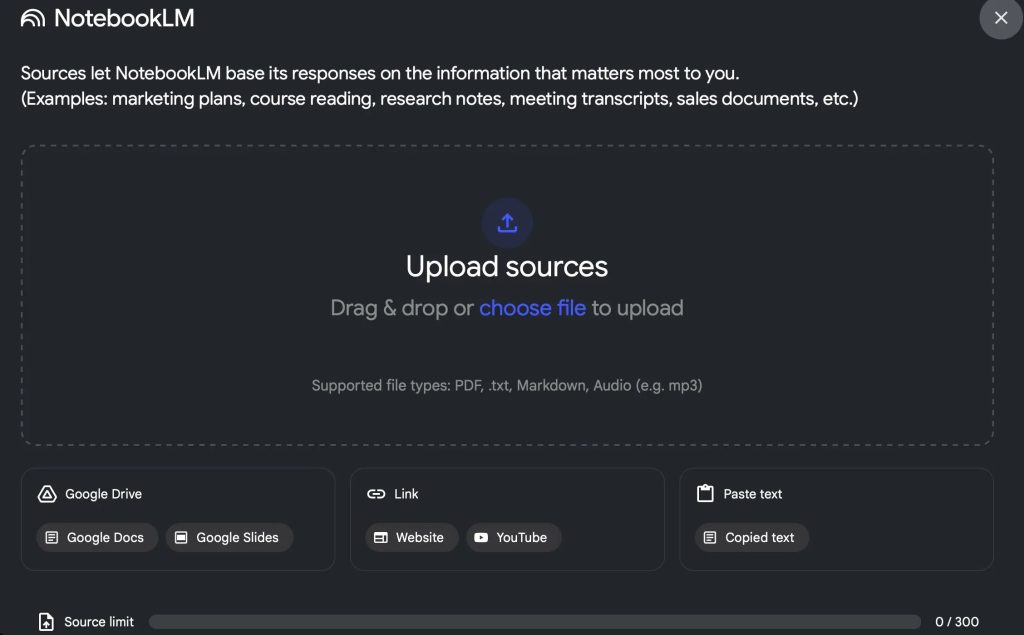
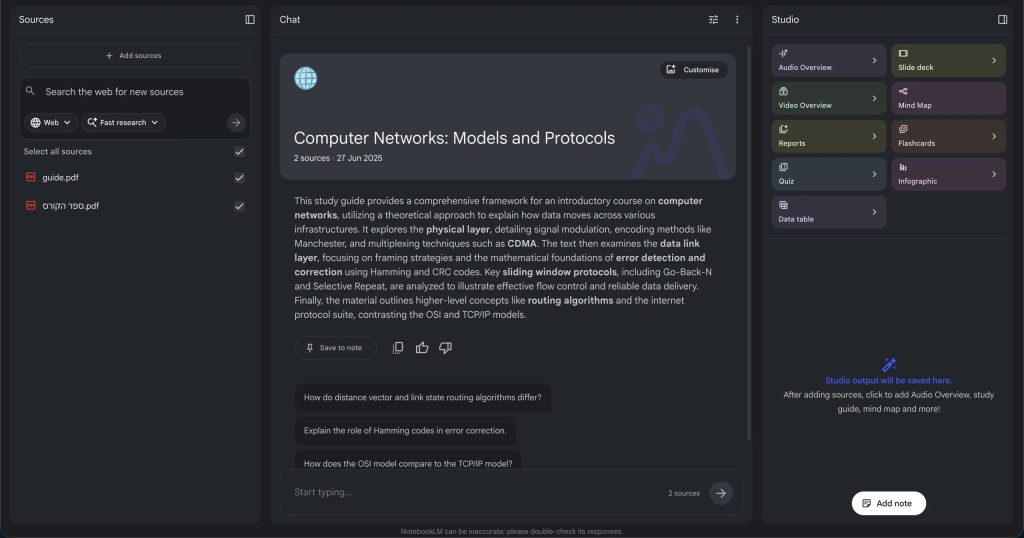
Instead of looking through ten different files, NotebookLM read everything for me and turned it into one organized workspace.
The best part is that NotebookLM does not answer questions using random information from the internet. It only uses the documents you upload.
That means when I asked, “What are the most important ideas from this lecture?” it gave me an answer based only on my class notes and slides.
For the first time, I actually felt like I was studying smarter instead of just studying longer.
What Is NotebookLM?
NotebookLM is an AI-powered study and research tool made by Google.
You upload your lecture notes, PDFs, presentations, research papers, or class materials, and NotebookLM helps you understand them.
It can:
- Summarize your notes
- Answer questions
- Create study guides
- Find the most important topics
- Compare information from different documents
For students, that is incredibly useful.
Instead of reading 50 pages of notes before an exam, you can ask NotebookLM things like:
- “Summarize chapter 3”
- “What are the most important formulas?”
- “Explain this topic in simple language”
- “What differences are there between these two lectures?”
The Moment NotebookLM Saved Me
The real moment when NotebookLM became useful was the night before my exam.
There was one topic that I still did not understand.
I had read the lecture slides three times, but it still did not make sense.
So I copied the slides into NotebookLM and asked:
“What does this topic mean? Explain it like I am a beginner.”
Instead of giving me a complicated answer, NotebookLM explained it using examples from my own lecture notes.
That was the difference.
With ChatGPT, I often get a general explanation. Sometimes it is helpful, but sometimes it includes information that is not even in my course.
NotebookLM only used the material from my class.
It felt like having a private tutor who had already read all of my notes.
Why NotebookLM Is Better Than Regular Note-Taking
Before NotebookLM, my study process looked like this:
- Open lecture slides
- Open another PDF
- Open Google Docs
- Search for the answer
- Forget where I saw it
- Repeat
Now it looks very different.
I upload everything once, then ask questions.
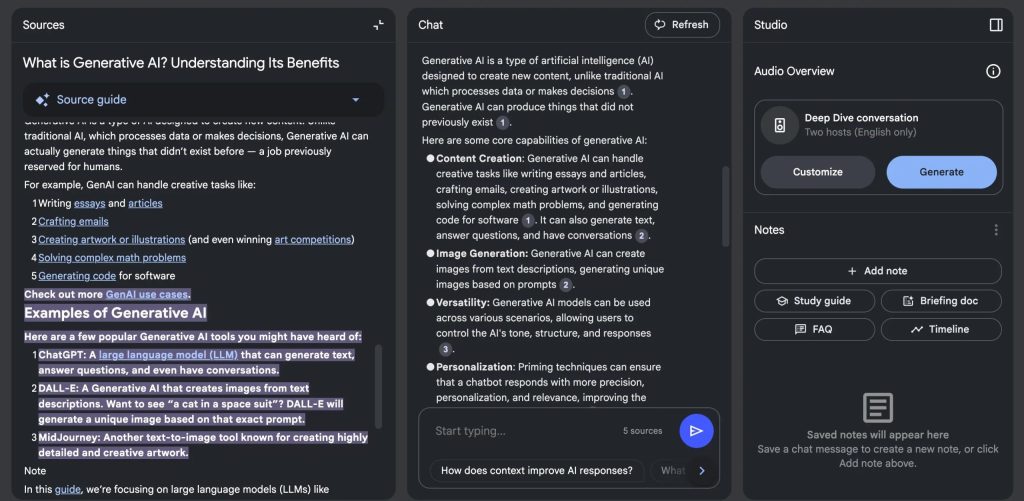
NotebookLM creates summaries, helps me review, and even points me to the exact part of the document where the answer came from.
That is especially useful when you have:
- Large PDFs
- Long lecture notes
- Research papers
- Group project files
- Several classes at the same time
For students who always feel overwhelmed before exams, this can save hours.
NotebookLM vs ChatGPT for Students
A lot of students ask if NotebookLM is better than ChatGPT.
The answer is: they do different things.
ChatGPT is better when you want general explanations, essay ideas, or help with writing.
NotebookLM is better when you want help with your own notes.
If you upload your lecture slides to NotebookLM, it can answer questions based only on those files. That makes it much more useful before an exam.
For example:
- ChatGPT: “Explain this topic”
- NotebookLM: “Explain this topic using my professor’s lecture slides”
That is why I ended up using both.
I used ChatGPT for general help and NotebookLM when I wanted to study the exact material that would be on the exam.
The Best Features of NotebookLM for Students
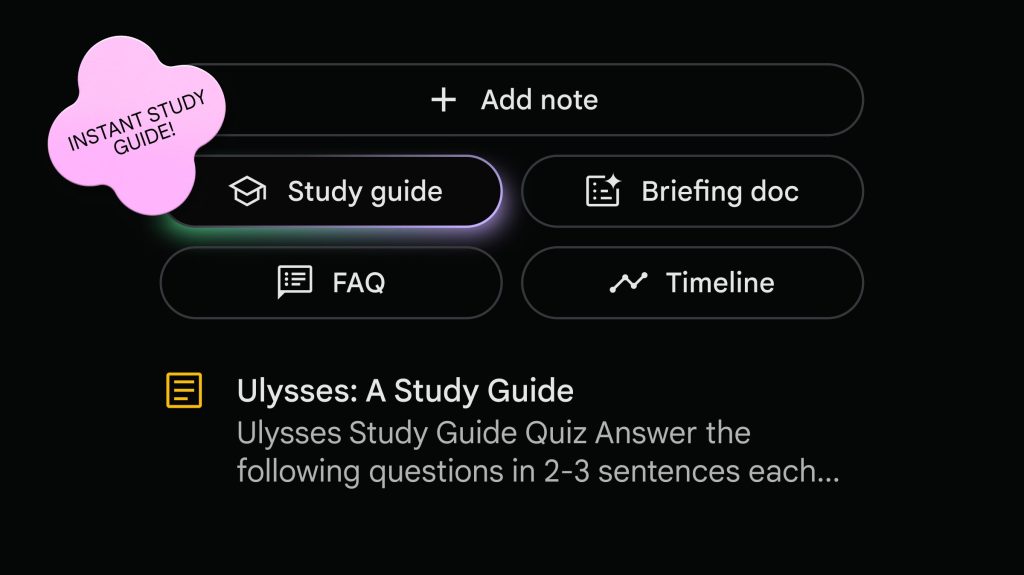
The feature I used the most was the automatic study guide.
After uploading my notes, NotebookLM created a short summary with the most important topics, definitions, and ideas.
Instead of reading everything again, I could start with that summary and quickly see what I needed to focus on.
I also liked that I could ask questions like:
“What topics appeared most often in these lecture notes?”
Or:
“What should I review before the exam?”
Those are questions I normally ask myself while studying. NotebookLM answered them in seconds.
Another useful feature is that it can work with multiple files at the same time.
So if you have lecture slides, a PDF textbook, and notes from class, NotebookLM can combine all of them into one answer.
That is something most note-taking apps cannot do. It is also why I rank NotebookLM highly in my comparison of the best Notion alternatives for students: NotebookLM is much more focused on understanding source material than building dashboards and databases.
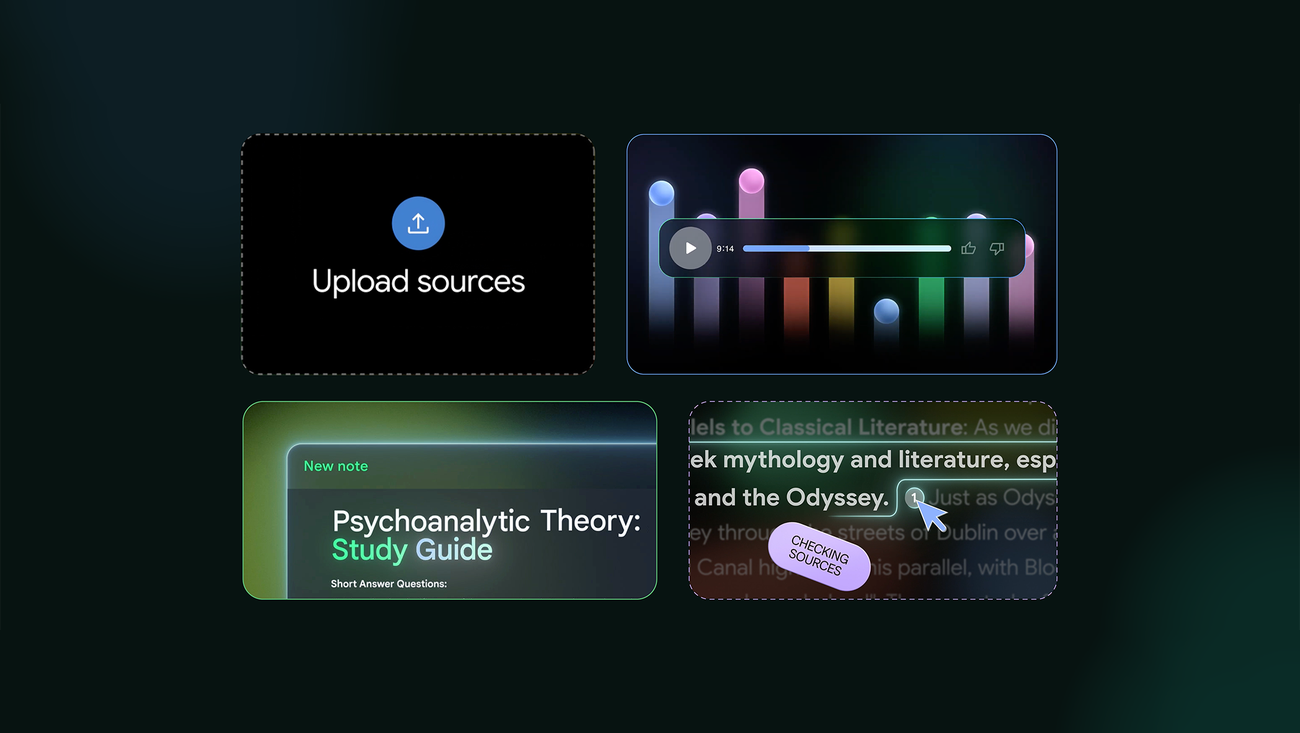
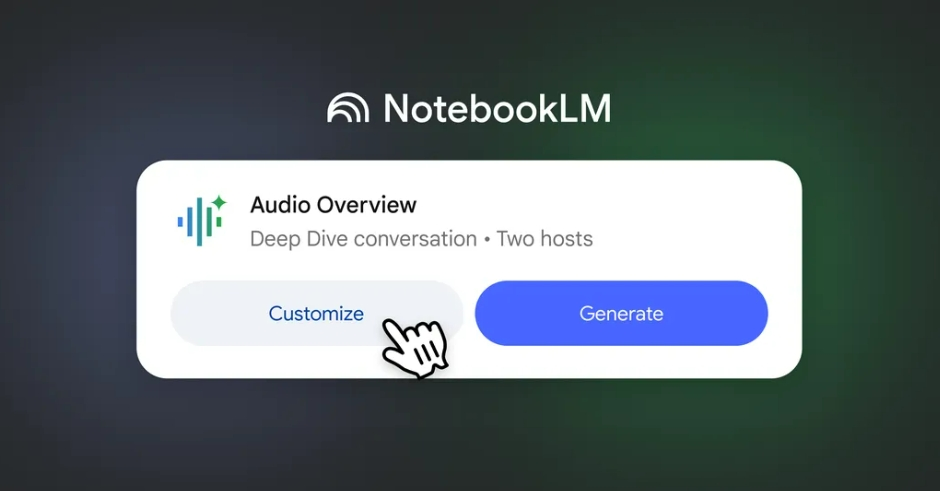
One feature that honestly surprised me was that NotebookLM can even create a podcast-style audio summary from your notes and PDFs.
After uploading my lecture slides and study material, I clicked the audio overview option and NotebookLM turned everything into a conversation between two voices, almost like a mini podcast about my course.
Instead of reading through another long PDF, I could listen to the important ideas while walking, driving, or cleaning my room.
The strange thing is that it actually sounded natural. The two voices discussed the topic, explained difficult ideas, and highlighted the most important things from my notes.
For students, that is incredibly useful before an exam. If you are tired of staring at the same notes for hours, listening to your study material like a podcast can make it much easier to remember.
Should Students Use NotebookLM?
If you are a student who:
- Has too many notes
- Feels overwhelmed before exams
- Struggles to organize PDFs and lecture slides
- Wants faster summaries and better study guides
Then yes, NotebookLM is worth trying.
The biggest reason is simple:
It saves time.
Instead of spending hours looking through files, you can spend more time actually learning.
That is exactly what happened to me.
I started using NotebookLM because I was overwhelmed before an exam.
Now it is one of the first tools I open whenever I start studying.
For a complete workflow beyond NotebookLM, read my guide to the best AI research tools for students. For source-backed web research and premium student pricing, see the Perplexity Education Pro student discount. Students who want a local, linked knowledge base should compare the Obsidian student discount, student plan, and 40% off Sync, including current education pricing and eligibility. For document-focused options, compare the best AI PDF summarizers for students.
Related Articles:
Last verified: August 21, 2026.

7 Comments