Pitch Offers for Students 2026: Free Plan & Partner Promotions
I started using Pitch after getting tired of spending entire evenings building slides for class presentations.
Not writing the actual content.
Just building the slides.
Fixing layouts, changing fonts, moving text boxes around, and trying to make everything look professional enough to submit.
That’s what made Pitch feel different almost immediately.
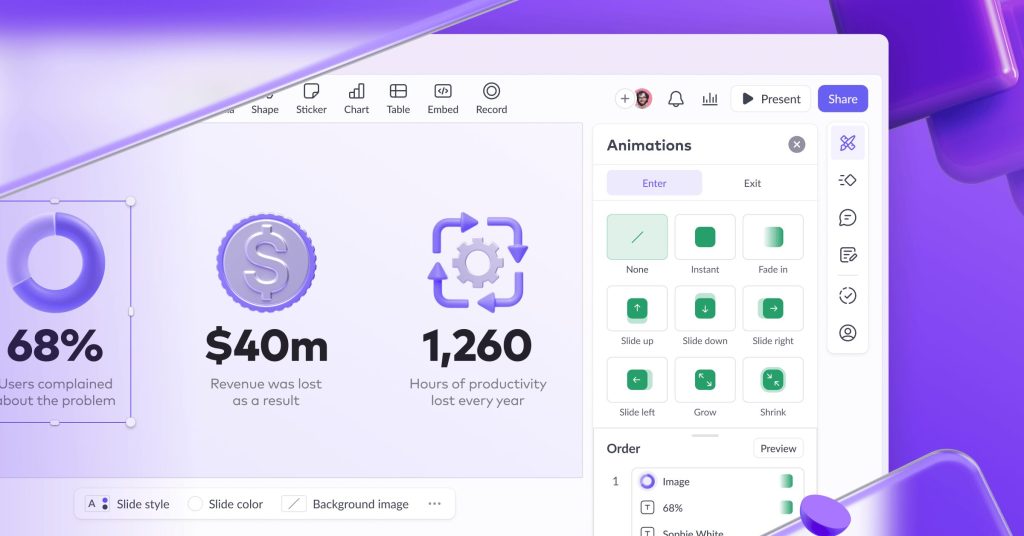
Instead of starting from a blank presentation, Pitch helps students create clean, modern presentations much faster using AI-powered tools, smart layouts, and professional templates.
After trying multiple AI presentation tools for students, Pitch became one of the few tools that actually felt useful during real university deadlines.
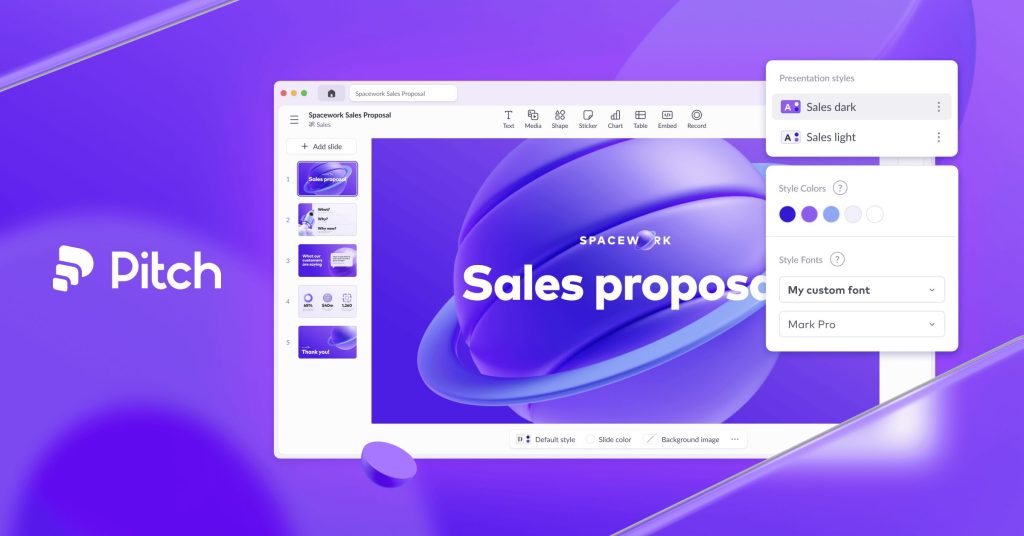
It works especially well for:
- class presentations
- university seminars
- startup pitch decks
- group assignments
- project presentations
- business presentations
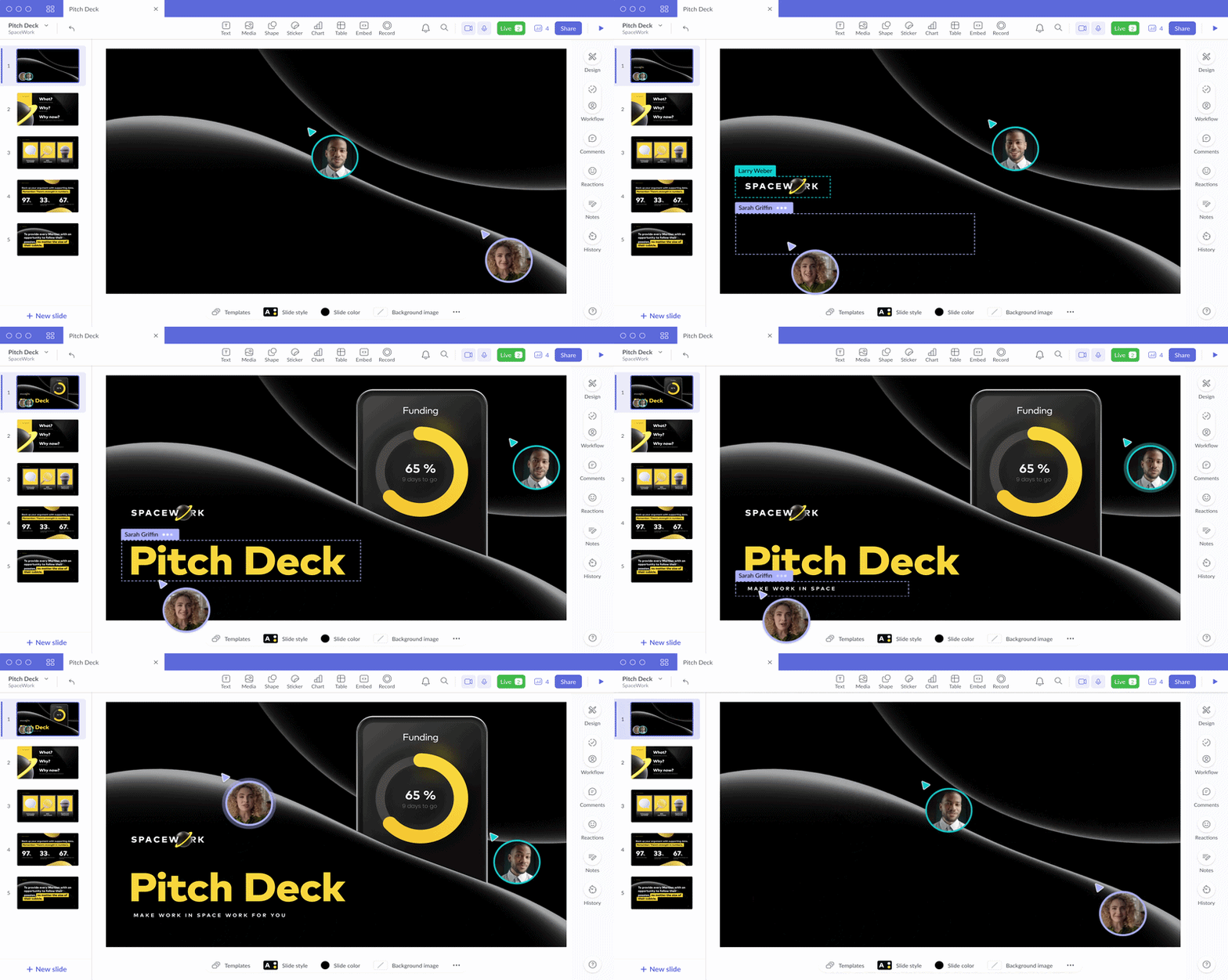
One of the biggest reasons students like Pitch is because it removes most of the frustrating design work that normally slows presentations down.
You can focus on your ideas while Pitch helps with:
- presentation structure
- slide design
- layout consistency
- collaboration
- faster editing
And unlike traditional presentation software, everything feels much more modern and streamlined.
Pitch Offers for Students
Pitch’s official billing guide says it does not currently offer a student or educational discount. A partner promotion is separate from an education program. The previously advertised 30% partner offer has not been independently revalidated at checkout; use it only if the discount appears in your final order.
Which Pitch Plan Makes Sense for a Student?
Start with Free for coursework. Pitch currently lists unlimited presentations and custom templates on Free, with a limit of five workspace members, two external guests, and a one-time allowance of 100 AI credits. Make a sample assignment deck before you decide that a paid plan is necessary. That gives you a way to assess the editor, sharing links, and templates using your own material rather than relying on a promotional headline.
Plus is mainly for an individual. The published Plus tier adds recurring AI credits, custom fonts, video uploads, and PowerPoint exports without Pitch branding, but it supports only one workspace member. An upgrade to Plus does not automatically solve a five-person group project. For a group requiring more collaboration controls, compare the Team tier instead of assuming all paid plans accommodate multiple editors.
For group presentations, check who needs editing access. The Team tier supports up to 25 members, while basic group work can often start in Free. Ask classmates to try a short presentation together first. Check whether they need to edit slides or only view and comment. Also verify whether the lecturer requires a PPTX file, a PDF, or a shared presentation link; export requirements can determine whether a paid plan is useful.
Five Checks Before You Spend Money on Pitch
- Free-plan fit: Build one real presentation with diagrams, citations, and your own course content. Does the result meet the assignment requirements?
- Collaboration: Count classmates who actually need to edit; workspace members and external guests have different permissions.
- AI usage: Pitch’s Free AI credits are not a monthly allowance. The published paid tiers have different recurring limits.
- Export format: Check whether branded PDF exports are acceptable or whether you need an unbranded PPTX file.
- Billing: Review the checkout currency, number of editor seats, auto-renewal, and monthly-versus-annual commitment before subscribing.
Is There a Verified Pitch Education Discount?
As checked on November 3, 2026, Pitch’s own billing guide says it does not currently offer student or education discounts. Pitch says other trials or discounts may sometimes be available by contacting support, which is not the same as a published student program. The formerly advertised 30% partner offer should be treated as unverified unless the reduction appears in the final checkout total.
Paid plans renew automatically. Pitch also bills for certain editing roles and can apply prorated seat charges. For a one-off assignment, remaining on Free may be the better student decision. Check Pitch’s current plan comparison for exact feature limits, and compare it with Gamma before choosing a presentation tool.
Check Current Pitch Plans and Partner Offers
Paid-plan features vary by tier. Compare the current plan before paying for:
- premium presentation templates
- AI-powered presentation tools
- faster workflows
- collaboration features
- professional slide designs
If you’re looking for:
- AI presentation tools for students
- an AI tool for student presentations
- a PowerPoint alternative for students
- a faster way to build professional slides
Pitch is absolutely worth trying.
Especially if you constantly find yourself making presentations the night before they’re due.

Try before buying: View Pitch’s current plans. We may earn a commission if you purchase through this link, but Pitch Free may already be enough for your assignment.
Related Posts:
Before choosing a plan, see how it compares with Gamma in my Pitch vs Gamma guide.
Last verified: October 19, 2026 (offer information). Pitch does not currently advertise an education discount. The former 30% partner promotion has not been validated at checkout and is not marked as verified. Source: Pitch billing and discounts. Prices and eligibility can change.

Great content! Keep up the good work!