Paperpal Review 2026: Is It Worth It for Students?
🎓 Limited-time Paperpal Back-to-School offer
Prime & Pro annual plans are currently at least 40% off through September 18, 2026. Paperpal says the campaign discount is automatically applied at checkout. If you are considering a paid plan after reading this review, this is currently a better offer than the regular 20% promotion.
Quick verdict: Is Paperpal worth it for students?
For most university students who regularly write essays, seminar papers, or research assignments in English, Paperpal Prime is the best-value paid plan. Paperpal Pro makes more sense for postgraduate researchers and power users working on theses, manuscripts, clinical documents, and other research-heavy projects.
The free plan is a good place to test Paperpal. If you only need basic grammar correction, a simpler tool may still be enough. This review explains the features, limitations, updated Free vs Prime vs Pro plans, and who should choose each one.
If you have ever written a university essay, research paper, seminar assignment, or thesis, you probably know the feeling.
You finally finish writing, but then you realize you still need to:
- Fix your grammar
- Rewrite awkward sentences
- Check your citations
- Find sources
- Make sure nothing sounds copied
- Translate a few parts
- Read through a 20-page PDF again
During my Computer Science degree, especially when I worked on seminar papers and research-heavy assignments, this was the part I hated most.
I would spend hours jumping between different websites and tools. One tool for grammar, another for citations, another for paraphrasing, another for checking plagiarism.
That is why Paperpal surprised me.
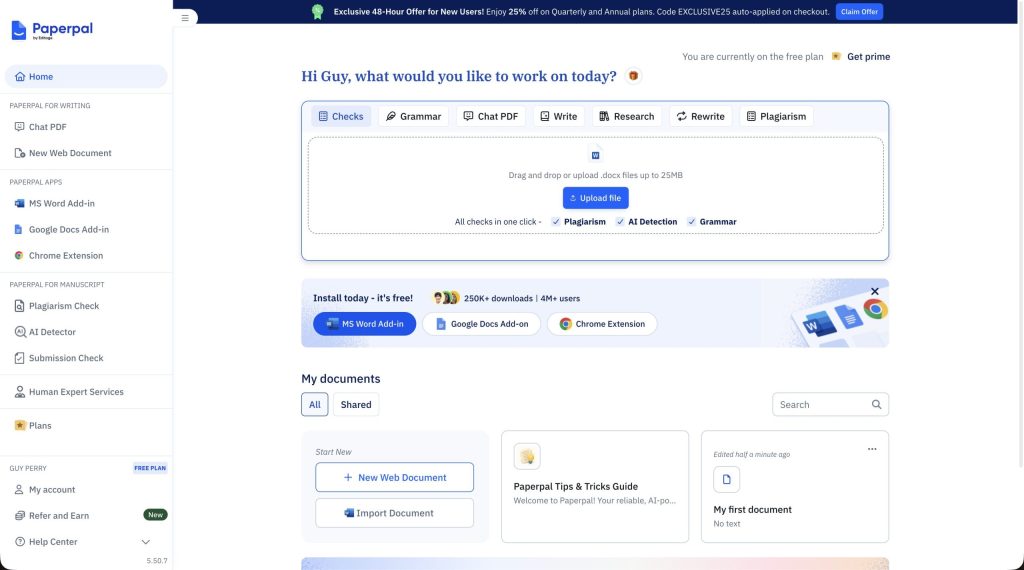
Instead of using five or six different tools, Paperpal puts almost everything academics need in one place.
What Is Paperpal?
Paperpal is an AI writing tool built specifically for students, researchers, and academics.
Most writing tools are designed for things like emails, blog posts, or business writing. Paperpal feels very different. From the moment I opened it, it was clear that it was designed for university work.
Instead of helping you write a marketing email or a social media post, Paperpal is built for essays, seminar assignments, research papers, theses, and journal submissions.
The reason it feels so useful is because it brings almost everything into one place.
You can check your grammar, rewrite awkward sentences, search for research papers, add citations, upload PDFs, translate text, and even run a plagiarism check without leaving the site.
When I first tried it, it honestly felt like someone had taken Grammarly, QuillBot, Google Scholar, and a plagiarism checker and put them all together.
Is Paperpal Good for Students and Academic Writing?
Most AI writing tools are designed for emails, blog posts, or business writing.
Paperpal is different.
When I tested it, the suggestions sounded much more academic.
For example, instead of changing a sentence to sound more “friendly” or “casual,” Paperpal helped make it clearer and more professional.
That is exactly what you want when you are writing for university.
Paperpal Grammar Checker: My Experience
The first thing I tested was the grammar checker.
I pasted in part of a seminar assignment that I had already worked on for hours. I thought it was finished.
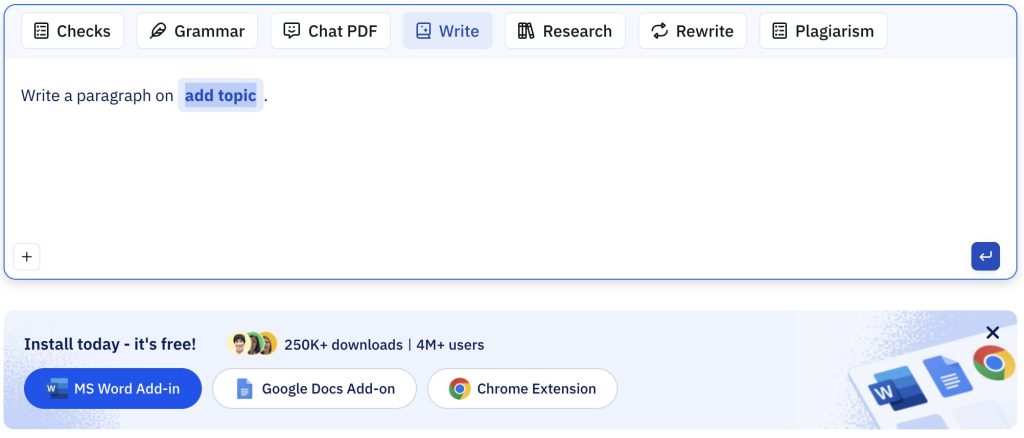
Within a few seconds, Paperpal highlighted several problems that I had completely missed.
There were small grammar mistakes, repeated words, awkward sentences, and a few places where the writing sounded too informal.
What I liked most is that Paperpal did not just mark something in red and leave me to figure it out myself. It explained why the sentence was wrong and suggested a version that sounded more academic.
That is especially helpful if English is not your first language or if you are trying to improve the way you write over time.
Paperpal Paraphraser for Academic Writing
The feature I ended up using the most was probably the paraphraser.
There are moments when you know exactly what you want to say, but every version of the sentence sounds awkward.
That happened to me constantly when I was writing papers during university.
I would rewrite the same paragraph three or four times and somehow it still did not sound right.
With Paperpal, I could paste the paragraph into the paraphraser and instantly get a version that sounded clearer, smoother, and more academic.
It did not completely change my ideas. It simply helped me express them better.
When I tested it on a section of a seminar paper, the new version sounded much closer to something I would actually want to submit.
Paperpal Research and Citation Tools
For a broader step-by-step workflow that combines source discovery, PDF analysis, note organization, and academic writing, see my guide to the best AI research tools for students.
The feature that surprised me the most was the research and citation tool.
Normally, when I work on a paper, I end up with ten tabs open. One for my document, one for Google Scholar, one for citations, and a few more for random research articles.
Paperpal made that process much easier.
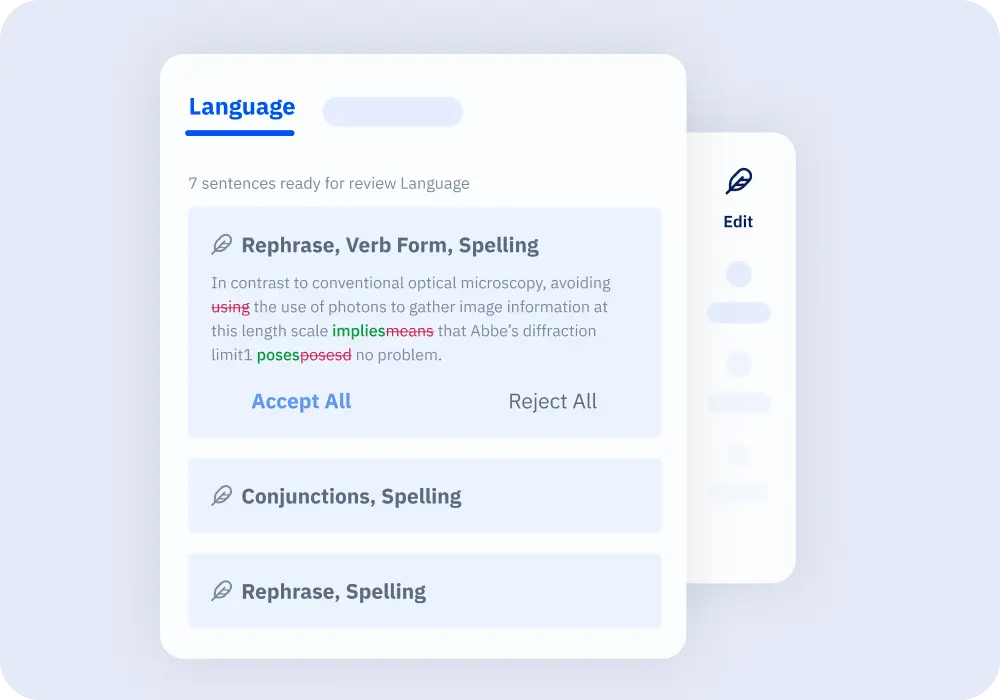
Instead of opening another website, I could search for research articles directly inside the tool. It can search through more than 250 million research papers, which means you can usually find what you need without leaving the page.
While testing it, I searched for sources related to machine learning and found several relevant papers almost immediately. I could read the summaries, copy the citation, and keep writing without interrupting my flow.
For anyone writing a seminar paper, thesis, or final project, that can save a surprising amount of time.
Chat With PDFs: Useful for Research Papers
To compare dedicated tools for summarizing, questioning, and studying academic documents, read my guide to the best AI PDF summarizers for students.
One of the most frustrating things about research is reading long PDFs.
Sometimes you have a 30-page article and only need one small part of it.
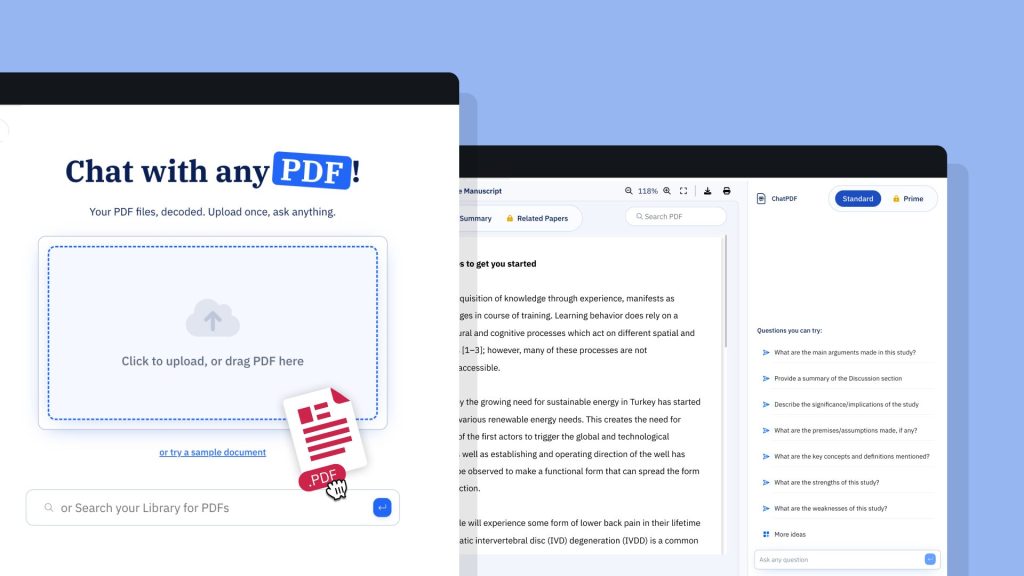
Paperpal lets you upload the PDF and ask questions about it.
For example:
- “What is the main argument of this paper?”
- “Summarize the conclusion.”
- “What does this paper say about machine learning?”
During my algorithms seminar, this would have saved me hours.
Instead of reading every page, I could have uploaded the paper and quickly found the information I needed.
Plagiarism Checker and Submission Checks
Before submitting an assignment, I always have the same fear.
What if I forgot something?
Maybe I missed a citation. Maybe one sentence sounds too similar to a source. Maybe there is a small formatting mistake that could cost points.
Paperpal helps with that too.
Before you submit, it can scan your work and check for common problems. It looks for things like missing citations, possible plagiarism, formatting issues, and other mistakes that are easy to miss when you have been staring at the same paper for hours.
That is one of the reasons it feels more complete than most writing tools.
Instead of helping only with writing, it also helps you feel more confident before you submit.
Paperpal vs Grammarly and QuillBot
If you have already used Grammarly or QuillBot, you are probably wondering how Paperpal compares.
| Tool | Best For | Biggest Strength |
| Grammarly | Grammar and spelling | Excellent grammar correction |
| QuillBot | Rewriting and paraphrasing | Strong paraphrasing tools |
| Paperpal | Academic writing and research | All-in-one tool for students and researchers |
Paperpal is not necessarily better at every single thing.
But it is the best option if you want one tool that does almost everything.
Instead of paying for several different tools, you can do most of your work in one place.
Who Should Use Paperpal?
Paperpal is best for:
- University students
- Master’s and PhD students
- Researchers
- Anyone writing essays or research papers in English
I think it is especially useful if:
- English is not your first language
- You write a lot of academic papers
- You hate switching between different tools
- You want to save time
Paperpal Free vs Prime vs Pro: Pricing and Plan Comparison
Paperpal now offers three plans: Free, Prime, and Pro. Prime is positioned for everyday academic writing and coursework, while Pro is designed for researchers and heavy users who need higher limits and Paperpal’s most advanced writing and research capabilities. For a detailed plan-by-plan breakdown, read my Paperpal Pro vs Prime comparison.
| Plan | Best for | Annual pricing | My recommendation |
|---|---|---|---|
| Free | Testing Paperpal and occasional academic writing | $0 | Start here if you are unsure whether the workflow suits you. |
| Prime Best for students | Coursework, essays, seminar papers, and regular academic writing | $12/month $144/year, billed annually | Best choice for most university students. |
| Pro | Theses, manuscripts, clinical documents, and intensive research workflows | $29/month $348/year, billed annually | Best for postgraduate researchers and power users. |
The paid plans differ in their allowances for editing, plagiarism and AI-detection checks, research Q&A, citation lookup, PDF chat, reference checks, agents, and library storage. Prime and Pro are available with monthly and annual billing; the previous quarterly plan has been discontinued.
Back-to-School pricing: through September 18, 2026, Paperpal is offering at least 40% off annual Prime and Pro plans, with the campaign discount automatically applied at checkout. That makes this a particularly good time to compare the two paid tiers if you were already planning to subscribe. See my updated Paperpal coupon code and Back-to-School discount guide for the current offer details.
Final Verdict: Is Paperpal Worth It for Students?
Paperpal is one of the few AI tools that actually feels designed for students and academics.
Instead of being another general-purpose writing assistant, it focuses on the problems students actually have: writing essays, finding sources, improving academic language, checking citations, and making sure everything is ready before submission.
If you are tired of switching between Grammarly, QuillBot, Google Scholar, and plagiarism checkers, Paperpal might be the easiest solution.
Honestly, if I had discovered it earlier in my degree, I probably would have used it for almost every assignment I wrote.
Paperpal Review FAQ
Is Paperpal good for students?
Yes, especially for university students who regularly write academic work in English. Its strongest advantage is that the editing, paraphrasing, research, citation, and PDF tools are built around academic workflows rather than general business writing.
Is Paperpal worth it for students?
I think Paperpal is worth considering if you write seminar papers, theses, dissertations, research papers, or other academic assignments often. Students who only need basic spelling and grammar correction may not need an academic-focused tool.
Can students use Paperpal for free?
Paperpal offers free access to some writing features, while paid access unlocks additional capabilities and higher usage limits. Check the current Paperpal plan details before choosing a subscription because features and limits can change.
Is Paperpal better than Grammarly?
They focus on different needs. Grammarly is a broader writing and grammar assistant, while Paperpal is more specifically focused on academic and research writing. I would choose based on whether your main work is general writing or university and research papers.
Is Paperpal better than QuillBot?
QuillBot is especially well known for paraphrasing and rewriting. Paperpal combines paraphrasing with academic editing, research, citation, and manuscript-oriented workflows, so it can make more sense when you want one academic writing workspace.
Is Paperpal good for research papers?
Research papers are one of the use cases where Paperpal makes the most sense. Its academic language suggestions, research and citation workflows, PDF tools, and submission-related checks are more relevant to research writing than a generic AI writing assistant.
What is the difference between Paperpal Prime and Pro?
Paperpal Prime is intended for everyday academic writing and coursework, while Paperpal Pro is aimed at researchers and power users who need higher or unlimited allowances across writing, research, plagiarism, AI-detection, PDF-chat, reference-checking, and library features.
Is Paperpal Pro worth it for students?
For most undergraduate students, Prime is likely the better-value plan. Pro makes more sense for master’s and PhD students, thesis writers, researchers, and anyone using Paperpal intensively across long or high-stakes academic projects.
Does Paperpal have a Back-to-School discount in 2026?
Yes. From August 18 through September 18, 2026, Paperpal is offering at least 40% off Prime and Pro annual plans. The campaign discount is automatically applied at checkout. See my Paperpal discount guide for the latest offer details.
Does the PAP20 coupon work on Paperpal Pro?
Paperpal confirmed that existing discount codes continue to work on eligible Pro purchases. During the Back-to-School campaign, however, the automatic 40%+ annual-plan offer is currently stronger than the regular 20% promotion. Confirm the best available discount at checkout before paying.
Related Paperpal and AI Writing Guides
- Compare the best AI writing tools for students.
- Check whether there is a Grammarly student discount.
- See the current Paperpal coupon code and student discount.
- Compare Paperpal Pro vs Prime to choose the right plan.
Last verified: August 21, 2026.



7 Comments