
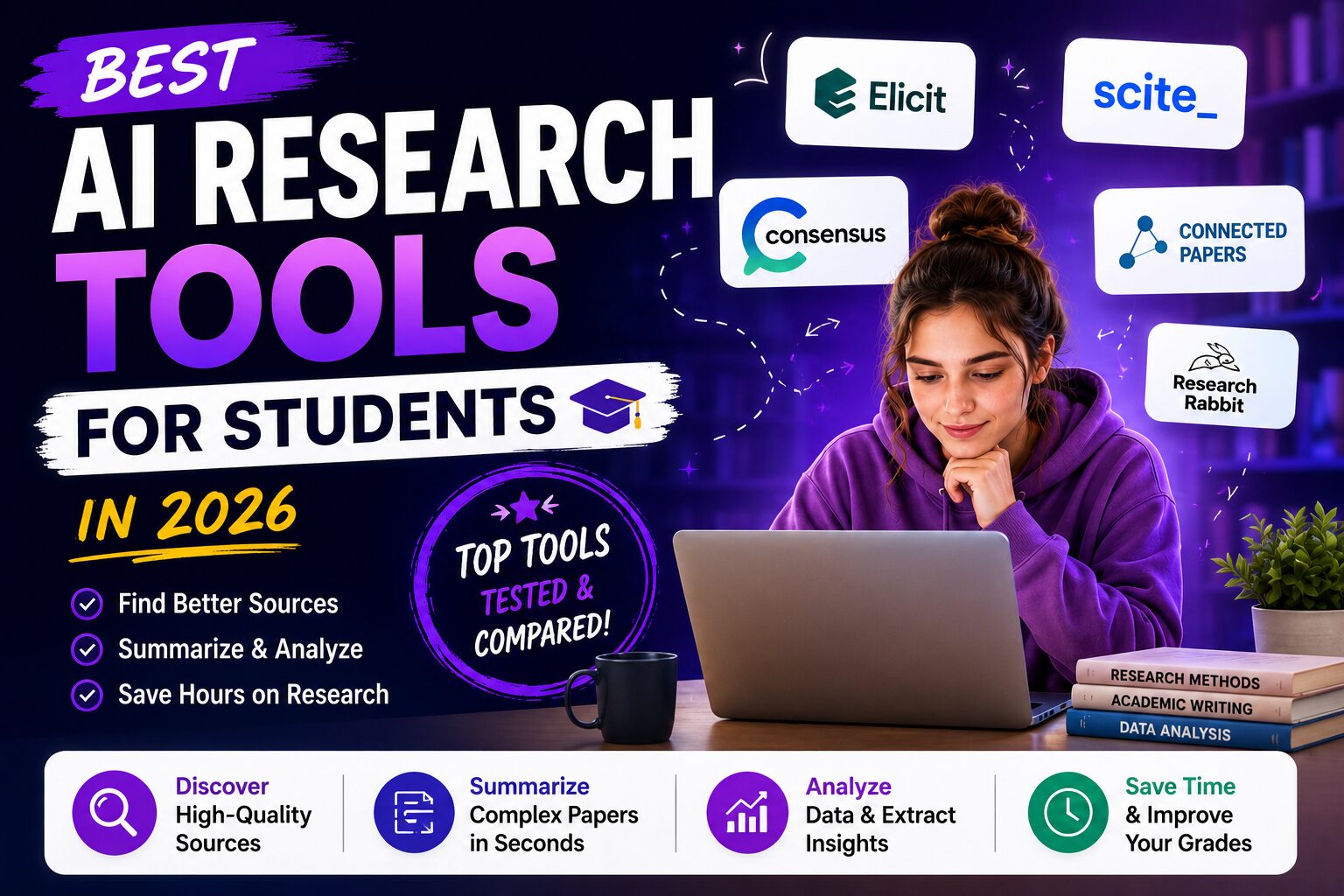
Best AI Research Tools for Students in 2026: The Workflow I Wish I Had During University
I still remember opening one of the biggest assignment documents from my Computer Science degree and immediately checking how long it was.
Twenty-two pages.
That was before the references. Before the appendix. Before the presentation. Before the final edits. Before the part where I had to explain what I actually did without sounding like I copied half of it from a paper I barely understood.
At first, I was not even worried about writing the assignment. Writing was annoying, but I knew I could eventually get words onto the page.
The real problem was everything that came before writing.
I had to find reliable sources, understand academic papers, organize PDFs, turn messy notes into something useful, remember which paper explained which concept, avoid losing important quotes, and somehow build a final report that sounded like a real university submission.
And like a lot of students, my research process was chaos.
I had one Google Docs file with notes, another folder full of PDFs, a few screenshots on my phone, random browser tabs I was afraid to close, and a desktop that looked like a digital disaster zone.
By the time I finally started writing, I was already tired.
That is why I wish I had a proper AI research workflow earlier.
Not because AI should write your assignments for you. That is not the point.
The real value of AI research tools for students is that they help you understand faster, organize better, summarize long documents, find gaps in your thinking, improve academic writing, and polish your final draft before submission.
After testing many tools during and after my degree, this is the workflow I would use today if I had to complete a research paper, seminar assignment, literature review, or final project from scratch.
If you are searching for the best AI research tools for students in 2026, this is not just another generic list. This is the student research workflow I wish I had earlier.
My quick recommendation: If you only want one tool to start with, use ChatGPT for understanding the topic, NotebookLM for studying your own documents, and Paperpal when you are ready to turn your research into cleaner academic writing.
What Makes a Good AI Research Tool for Students?
When most people hear the phrase AI for research papers, they immediately imagine a student asking an AI tool to write an essay.
But that is one of the weakest ways to use AI.
The best AI research tools help before the writing even starts.
Think about where time actually disappears during a university assignment.
You spend time trying to understand the topic. Then you search for sources. Then you open ten tabs. Then you download PDFs. Then you highlight sections you might never look at again. Then you copy notes into a document. Then you forget which source said what. Then you finally start writing and realize your notes are not organized enough.
A good AI research assistant should reduce that friction.
For students, the best AI tools are usually the ones that can help with at least one of these problems:
- Understanding a topic before reading deeply
- Finding angles, subtopics, and research questions
- Summarizing long PDFs and lecture notes
- Organizing ideas across multiple sources
- Turning messy notes into a useful outline
- Improving academic writing without changing your meaning
- Checking grammar, clarity, tone, and citations
That is why I do not think there is one single “best AI research tool” for every student.
Instead, I think students should build a small stack.
One tool for understanding. One for documents. One for notes. One for academic writing. One for the final grammar check.
That sounds like a lot, but once you use the workflow a few times, it becomes much faster than doing everything manually.
My AI Research Workflow for Students
Over time, I stopped thinking about AI tools as separate apps.
I started thinking about them as steps in a workflow.
For a research paper, essay, seminar project, or literature review, my workflow usually looks like this:
Step 1: Understand the topic with ChatGPT.
Step 2: Upload lecture slides, PDFs, and notes into NotebookLM.
Step 3: Organize notes and ideas in Evernote or another note-taking app.
Step 4: Build the first draft in Google Docs.
Step 5: Improve the academic writing with Paperpal.
Step 6: Rewrite awkward paragraphs with QuillBot.
Step 7: Run a final grammar and clarity check with Grammarly.
This is the exact kind of workflow I wish I had during university.
It does not remove the need to think. It does not remove the need to read. And it definitely does not remove the need to understand what you are submitting.
But it removes so much wasted time.
Now let me walk through each tool and where it fits.
1. ChatGPT: The Best Place to Start Every Research Project
Every research assignment starts the same way.
You read the title. You pretend you understand it. Then, after about thirty seconds, you realize you do not even know enough to search properly.
This is where ChatGPT is usually the best first step.
Not to write the assignment.
To understand the assignment.
During my degree, there were many topics where the hardest part was simply getting oriented. Algorithms, machine learning, databases, operating systems, academic research methods — the first hour was often spent trying to figure out what the topic even meant.
Now I would start by asking ChatGPT something like:
Explain this topic like you are teaching a second-year university student. Then list the main subtopics I should research before writing an assignment about it.
That one prompt can turn a confusing assignment into a map.
Suddenly, you know the important terms. You know what concepts are related. You know what questions to ask. You know what to search for when you start looking for sources.
This is why ChatGPT is one of the best AI tools for students, especially at the beginning of a research project.
I also use ChatGPT when a paper feels too difficult.
Instead of immediately reading a dense academic PDF from start to finish, I ask ChatGPT to explain the background concepts first. If the paper is about transformers, I ask for a simple explanation of attention. If the paper is about graph search, I ask for a quick explanation of heuristics and shortest paths. If the paper is about classification models, I ask for the difference between supervised learning, evaluation metrics, and overfitting.
Then, when I finally read the paper, I am not completely lost.
If you are new to prompting, I recommend reading my guide to 50+ AI prompt templates every student should use. Good prompting makes a huge difference, especially when you are using ChatGPT for academic research.
Where ChatGPT helps most
ChatGPT is strongest when you use it as a tutor, not as a source.
It can help you understand a topic, brainstorm research questions, build an outline, compare concepts, simplify difficult explanations, and prepare before reading academic papers.
For example, before writing a research paper, I might ask:
Give me five possible research angles for this topic, ordered from easiest to hardest for a university student.
Or:
What are the most common mistakes students make when writing about this topic?
These questions do not replace research. They make the research smarter.
Where ChatGPT is not enough
ChatGPT should not be your only research tool.
If you need citations, sources, exact quotes, or academic references, you still need to verify everything. You should also check your university’s AI policy before using any AI writing or research assistant.
For me, ChatGPT is the first step. It helps me understand the landscape. Then I move into tools that work with actual documents and sources.
Best for: topic understanding, brainstorming, research planning, outlines, explanations, study help.
Student CTA: Start your research workflow with ChatGPT, then verify your sources before submitting anything academic.
2. NotebookLM: The Best AI Tool for Studying Your Own Sources
If ChatGPT helps me understand the topic, NotebookLM helps me understand my own material.
That is a huge difference.
When I first tried NotebookLM, I immediately thought: this is what I needed before exams.
Before using tools like this, my study process was messy. I had lecture slides in one folder, PDFs in another, screenshots on my phone, and random notes spread across different documents. Every time I wanted to find one explanation, I had to search manually.
NotebookLM makes that process feel much more natural.
You upload your sources. Then you ask questions about them.
That sounds simple, but for students it is extremely powerful.
You can upload lecture notes, research papers, assignment instructions, textbook chapters, summaries, and your own notes. Then you can ask things like:
What are the main ideas across these sources?
Which source explains this concept most clearly?
Create a study guide based only on these lecture notes.
What are the possible exam questions from this material?
Summarize this PDF in simple language.
This is why I think NotebookLM is one of the best AI research tools for students who already have documents to work with.
It is especially useful when you are not starting from zero. If your professor gave you PDFs, slides, reading materials, or academic papers, NotebookLM becomes much more useful than a general chatbot.
I already wrote a full guide on NotebookLM for students, where I explained how I used it to turn lecture notes into a study guide before an exam. That post is more focused on studying. This one is about using it inside a full research workflow.
How I would use NotebookLM for a research paper
If I had to write a research paper today, I would first gather my core sources.
That might include assignment instructions, lecture slides, three to five academic papers, and any notes I already wrote.
Then I would upload those documents into NotebookLM and ask it to help me understand the relationships between them.
For example:
Compare these papers. What do they agree on, what do they disagree on, and what gap could a student discuss in a research paper?
That kind of question is much more useful than a basic summary.
A summary tells you what each document says. A comparison helps you think.
For university research, that difference matters.
One of the biggest mistakes students make is collecting sources without building an argument. NotebookLM can help you see patterns across your material so you are not just summarizing one source after another.
Where NotebookLM fits best
NotebookLM is not the tool I would use to write the final essay. It is the tool I would use to understand, question, and organize the material before writing.
It is especially useful for:
- Lecture notes
- Research PDFs
- Exam preparation
- Study guides
- Source comparison
- Summarizing long documents
- Preparing before writing an academic paper
Best for: summarizing PDFs, studying lecture notes, asking questions about your own sources, and preparing for research papers.
Student CTA: If your assignment involves PDFs, slides, or lecture notes, try uploading them to NotebookLM before you start writing.
3. Evernote: The Tool I Would Use to Keep Research From Becoming a Mess
Free-plan limit: Evernote Free allows 50 notes and one notebook, with one connected device at a time. Compare those limits before using it as a multi-device research library.
AI tools are helpful, but they do not automatically make you organized.
This is something I learned the hard way.
You can have the best AI research assistant, the best AI PDF summarizer, and the best AI writing tool, but if your notes are scattered everywhere, the project still becomes painful.
That is where a proper note-taking system matters.
For students, Evernote is useful because it gives your research a home.
During university, I often had notes spread across Google Docs, WhatsApp messages to myself, screenshots, PDF highlights, and folders with names like “final final maybe use this.”
That is not a research system. That is survival.
If I were starting over, I would create one notebook for each major assignment or course. Inside that notebook, I would keep source summaries, useful quotes, professor instructions, draft ideas, research questions, and links to tools or papers.
The goal is not to make the prettiest note-taking system.
The goal is to make your research easy to find when you are tired at 1:00 AM and trying to finish the final draft.
I also like using a note-taking app between AI tools and writing tools.
ChatGPT might help me understand the topic. NotebookLM might summarize my sources. But I still want a place where I decide what actually matters.
That middle step is important.
If you skip it, you can end up copying AI summaries into your draft without developing your own structure. But when you organize the ideas yourself, the final writing becomes much more original and much easier to defend.
How to organize research notes as a student
For every assignment, I would create a simple structure:
- Assignment instructions
- Main research question
- Important sources
- Key concepts
- Quotes and references
- Possible outline
- Questions I still need to answer
- Final draft checklist
This does not need to be complicated.
Actually, the simpler the better.
A lot of students spend too much time building beautiful productivity systems and not enough time using them. I wrote about this problem in my guide to Notion alternatives for students. If you prefer a local-first research notebook with Markdown files and linked concepts, also see my Obsidian student discount and education pricing guide — the core app is free for students, while verified students can get 40% off Obsidian Sync and Publish.
For research, the best note-taking app is the one you actually keep using.
Best for: organizing notes, saving source summaries, keeping research questions, and building a simple student research system.
Student CTA: If your notes are scattered everywhere, try using Evernote as your research command center.
4. Paperpal: The Best AI Research Tool for Academic Writing
This is where the workflow changes from research to writing.
Once I understand the topic, organize my notes, and build an outline, I still have to write the actual assignment.
And that is where many students struggle.
Not because they have no ideas.
Because academic writing has its own language.
You can understand the concept perfectly and still write a paragraph that sounds too casual, too vague, too long, or not academic enough.
This is exactly where Paperpal is useful.
Paperpal is not just a basic grammar checker. It is built more around academic writing, research papers, essays, and student assignments. That makes it especially useful if you are writing a seminar paper, thesis section, literature review, or research-based essay.
Paperpal now has Free, Prime, and Pro plans. Prime is likely enough for most students, while Paperpal Pro is designed for more intensive research work such as theses, manuscripts, advanced PDF workflows, reference checks, and larger research libraries.
I already wrote a full Paperpal review for students and researchers, but the short version is this:
If I were writing a serious academic assignment, Paperpal would be one of the first tools I would use after finishing my rough draft.
Why after the rough draft?
Because I do not want AI to decide what I think.
I want to decide the argument, structure, examples, and claims. Then I want an AI academic writing tool to help me make the writing clearer, more polished, and more appropriate for university-level work.
How I would use Paperpal in a student research workflow
I would not paste a blank page into Paperpal and ask it to write the whole assignment.
Instead, I would write a rough version myself first.
Then I would use Paperpal to improve:
- Academic tone
- Sentence clarity
- Awkward phrasing
- Grammar and punctuation
- Transitions between ideas
- Research paper style
- Possible citation and source-related issues
This is a much safer and smarter way to use an AI writing assistant for students.
You stay in control of the content, but you get help making the final version stronger.
For me, Paperpal fits perfectly between research and final proofreading. It is not the first tool in the workflow, and it is not always the last. It is the tool I would use when the draft exists but does not sound polished yet.
Why Paperpal is different from general AI writing tools
A lot of AI writing tools are built for marketing, emails, blog posts, social captions, and business content.
That can be useful, but university writing is different.
Academic writing needs precision. It needs a more formal tone. It needs careful phrasing. It needs to avoid unsupported claims. It needs to sound like a student who understands the topic, not like a generic AI article.
That is why Paperpal is one of the best AI tools for research papers, especially if you care about academic tone.
My recommendation: If your main problem is turning messy research into polished academic writing, start with Paperpal. It is one of the most relevant tools on this list for essays, research papers, seminar assignments, and thesis-style writing.
5. QuillBot: The Best AI Tool for Rewriting Awkward Student Writing
There is a very specific moment in every assignment where QuillBot becomes useful.
It is not at the beginning.
It is not when you are still figuring out the topic.
It is when you have a paragraph that technically says what you mean, but sounds terrible.
I had this problem constantly during university.
I would write a paragraph, read it again, and think:
“The idea is right, but this sounds weird.”
Sometimes the sentence was too long. Sometimes it repeated the same word three times. Sometimes it sounded too informal. Sometimes it was grammatically correct but just uncomfortable to read.
That is where QuillBot is useful.
It is one of the most popular AI paraphrasing tools for students because it helps you rewrite sentences without starting from scratch.
I already compared QuillBot vs Grammarly for students, and my opinion is still the same: QuillBot is better when your main problem is rewriting. Grammarly is better when your main problem is proofreading.
How students should use QuillBot
The safest way to use QuillBot is not to rewrite entire assignments blindly.
Use it paragraph by paragraph or sentence by sentence.
Read every suggestion. Keep what sounds like you. Reject what changes your meaning.
That last part matters.
AI paraphrasing tools can sometimes make a sentence sound smoother while slightly changing what you meant. In academic writing, that can be a problem.
So my rule is simple:
Use QuillBot to get options, not answers.
It is especially useful for:
- Rewriting awkward sentences
- Shortening long paragraphs
- Improving flow
- Making informal writing sound more academic
- Finding alternative phrasing
- Reducing repetition
If you are writing in English as a second language, QuillBot can also be very helpful. It gives you phrasing options you might not think of naturally.
Best for: paraphrasing, rewriting awkward paragraphs, improving flow, and finding better wording.
Student CTA: If your paragraph says the right thing but sounds wrong, try rewriting it with QuillBot.
6. Grammarly: The Final Check Before You Submit
Grammarly is the tool I would use at the very end.
Not because it is unimportant.
Because it is best as a final quality check.
When I used Grammarly during university, it often caught the small mistakes I missed because I had already read the assignment too many times.
Missing commas. Repeated words. Awkward grammar. Sentences that were too long. Tone issues. Small clarity problems.
These are not always the things that decide whether your assignment is good, but they can definitely make your work look less polished.
That is why I still think Grammarly is useful for students, especially before submitting essays, reports, emails, scholarship applications, and research papers.
I wrote a full post on whether Grammarly is worth it for students, and I also published a guide to the best Grammarly alternatives for students. But inside this research workflow, Grammarly has one clear role:
It is the final pass.
After you understand the topic, organize sources, write the draft, improve academic style, and rewrite awkward sections, Grammarly helps catch the remaining issues.
How I would use Grammarly before submission
Before submitting a research paper, I would run the final version through Grammarly and look for:
- Grammar mistakes
- Spelling mistakes
- Unclear sentences
- Tone problems
- Repeated words
- Overly long sentences
- Formatting-related writing issues
I would not accept every suggestion automatically.
That is important.
Sometimes Grammarly suggestions can make writing cleaner, but sometimes they can make academic writing too generic. You still need to decide what sounds right for your assignment.
Think of Grammarly as a careful second reader, not a professor.
Best for: grammar, spelling, clarity, tone, and final proofreading.
Student CTA: Before submitting your final paper, run it through Grammarly to catch the small mistakes you probably missed.
Quick Comparison: Best AI Research Tools for Students
If you are still not sure which tool you need, this is how I would think about it.
| Tool | Best For | Where It Fits | My Student Use Case |
|---|---|---|---|
| ChatGPT | Understanding topics | Beginning | Explain concepts, brainstorm research questions, build outlines |
| NotebookLM | Working with your own sources | Research stage | Summarize PDFs, ask questions about lecture notes, create study guides |
| Evernote | Organizing research notes | Middle | Store source summaries, research questions, quotes, and draft ideas |
| Paperpal | Academic writing | Draft improvement | Improve clarity, tone, grammar, and research-paper style |
| QuillBot | Paraphrasing | Editing stage | Rewrite awkward sentences and improve flow |
| Grammarly | Final proofreading | Final stage | Catch grammar, spelling, clarity, and tone issues |
Best AI Research Tool by Student Need
The best tool depends on what kind of problem you actually have.
If you are confused about the assignment, start with ChatGPT.
If you have lecture notes, PDFs, or slides, use NotebookLM.
If your research is scattered everywhere, organize it in Evernote.
If your draft sounds too casual or messy, improve it with Paperpal.
If a paragraph sounds awkward, rewrite it with QuillBot.
If you are about to submit, do a final check with Grammarly.
That is the simplest way to choose.
The AI Research Workflow I Would Use Today
If I had to write a research paper from scratch today, this is exactly what I would do.
First, I would paste the assignment topic into ChatGPT and ask it to explain the topic, suggest subtopics, and list the questions I should answer before writing.
Then I would gather the actual academic sources. Lecture slides, papers, PDFs, course materials, and anything my professor recommended.
Next, I would upload those materials into NotebookLM and ask it to summarize the sources, compare them, and help me identify the strongest points for my assignment.
After that, I would move the important ideas into Evernote. This is where I would organize my research question, source summaries, quotes, examples, and outline.
Only then would I start writing.
Once I had a rough draft, I would use Paperpal to improve the academic tone, clarity, and structure.
For any paragraph that still sounded strange, I would use QuillBot to generate better phrasing options.
Finally, I would run the full version through Grammarly before submitting.
That workflow is not magic.
You still need to think. You still need to understand the material. You still need to follow your university’s rules.
But compared to the messy way I used to work, this is dramatically better.
For a more focused comparison of tools that summarize lecture notes and research papers, see my guide to the best AI PDF summarizers for students.
What About AI Presentation Tools?
A lot of research assignments do not end with the paper.
They end with a presentation.
This happened to me all the time during my Computer Science degree. I would finish the report and then realize I still had to create slides, explain the project, design visuals, and prepare what to say.
If your research project also requires a presentation, you should check out my guide to the best AI presentation tools for students.
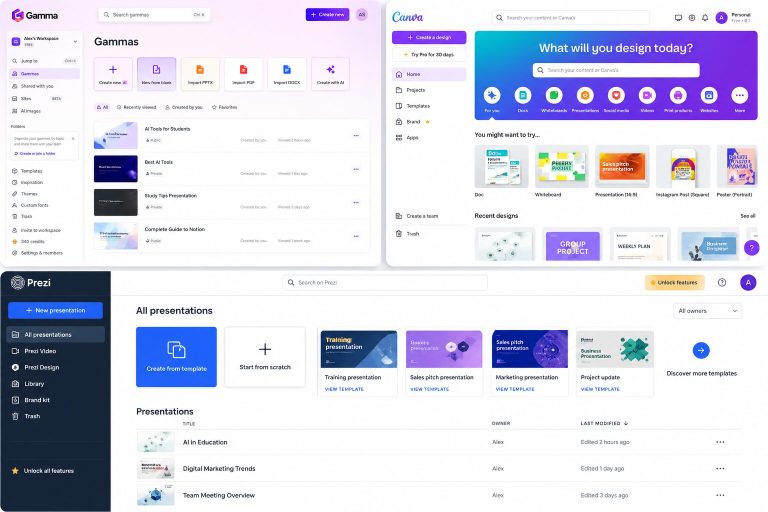
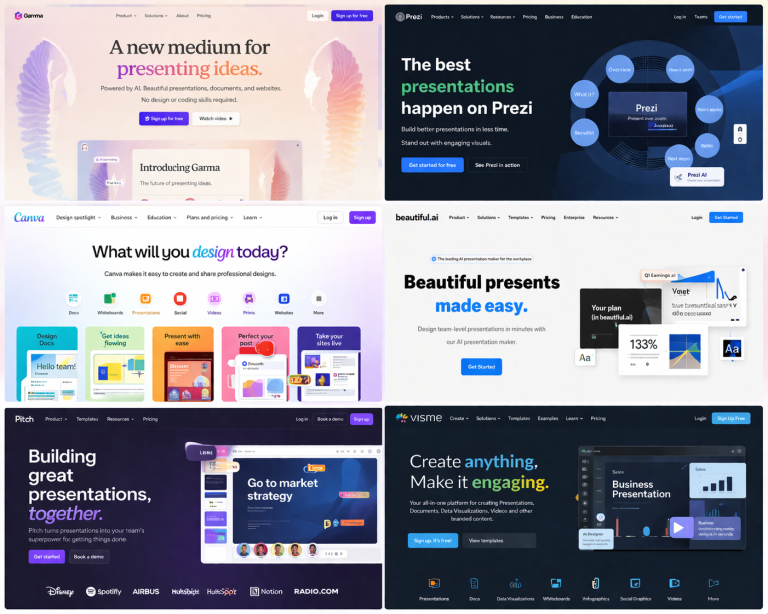
For presentations, I usually think about tools like Gamma AI, Pitch, Canva, and Prezi.
That is a separate workflow, but it connects perfectly to this one.
Research first. Writing second. Presentation last.
Final Verdict: What Is the Best AI Research Tool for Students?
If I had to choose only one AI research tool for students, I would choose ChatGPT because it is the most flexible.
But if I had to choose the best student research workflow, I would not rely on one tool.
I would use:
- ChatGPT to understand the topic
- NotebookLM to work with PDFs and lecture notes
- Evernote to organize research
- Paperpal to improve academic writing
- QuillBot to rewrite awkward sentences
- Grammarly to proofread before submission
That is the workflow I wish I had earlier.
It would have saved me hours of confusion, messy notes, weak outlines, and last-minute editing.
More importantly, it would have helped me spend more time actually understanding my work.
My Recommended Starting Point
If you are working on a research paper right now, start simple:
Use ChatGPT to understand the topic, NotebookLM to work with your sources, and Paperpal to polish the academic writing.
That three-tool stack is enough for most student research projects.
FAQ: AI Research Tools for Students
What are the best AI research tools for students?
The best AI research tools for students depend on the task. ChatGPT is best for understanding and brainstorming, NotebookLM is best for working with your own PDFs and lecture notes, Paperpal is best for academic writing, QuillBot is best for paraphrasing, Grammarly is best for proofreading, and Evernote is useful for organizing research notes.
Can students use AI for research papers?
Students can use AI for research papers as long as they follow their school or university rules. AI can help with understanding topics, summarizing sources, organizing notes, improving clarity, and proofreading. However, students should not blindly submit AI-generated writing or use fake citations.
What is the best AI tool for summarizing PDFs?
For students, NotebookLM is one of the best tools for summarizing PDFs because it works with your uploaded sources and lets you ask questions about your own material.
What is the best AI tool for academic writing?
Paperpal is one of the best AI tools for academic writing because it focuses on essays, research papers, academic tone, clarity, grammar, and student-style writing instead of generic marketing content.
Is ChatGPT good for academic research?
ChatGPT is useful for understanding topics, brainstorming research questions, explaining concepts, and creating outlines. However, it should not be your only source for academic research. Always verify facts and use real academic references.
Is QuillBot or Grammarly better for students?
QuillBot is better for rewriting and paraphrasing awkward sentences. Grammarly is better for final grammar, spelling, tone, and clarity checks. Many students can benefit from using both at different stages of the writing process.
Should I use AI to write my entire assignment?
No. The better approach is to use AI as a research and writing assistant. Let AI help you understand, organize, summarize, and edit, but make sure the ideas, argument, and final submission are genuinely yours and follow your university’s rules.
For student access and pricing, compare the ChatGPT Plus student offer guide and Claude student access guide. For mathematics or computational coursework, check the Wolfram Alpha Pro student pricing guide; calculations still need to be interpreted and checked against your assignment.
Related Guides
If you found this helpful, you may also like:
- Best AI Writing Tools for Students in 2026
- Paperpal Review for Students and Researchers
- NotebookLM for Students
- Best Grammarly Alternatives for Students
- QuillBot vs Grammarly for Students
- Best AI Presentation Tools for Students
Last verified: October 19, 2026 (plan limitations and linked guidance). Official source checked. Features, pricing and terms may change.


9 Comments